
In this article, you will be shown how to link your diary items, holidays, absenteeism, job engineer planning and jobs to your Office 365 shared or personal diary.
First, your Office 365 accounts must be linked. Go here to learn how to do this.
Go to Settings > Settings > Communication > Office 365.
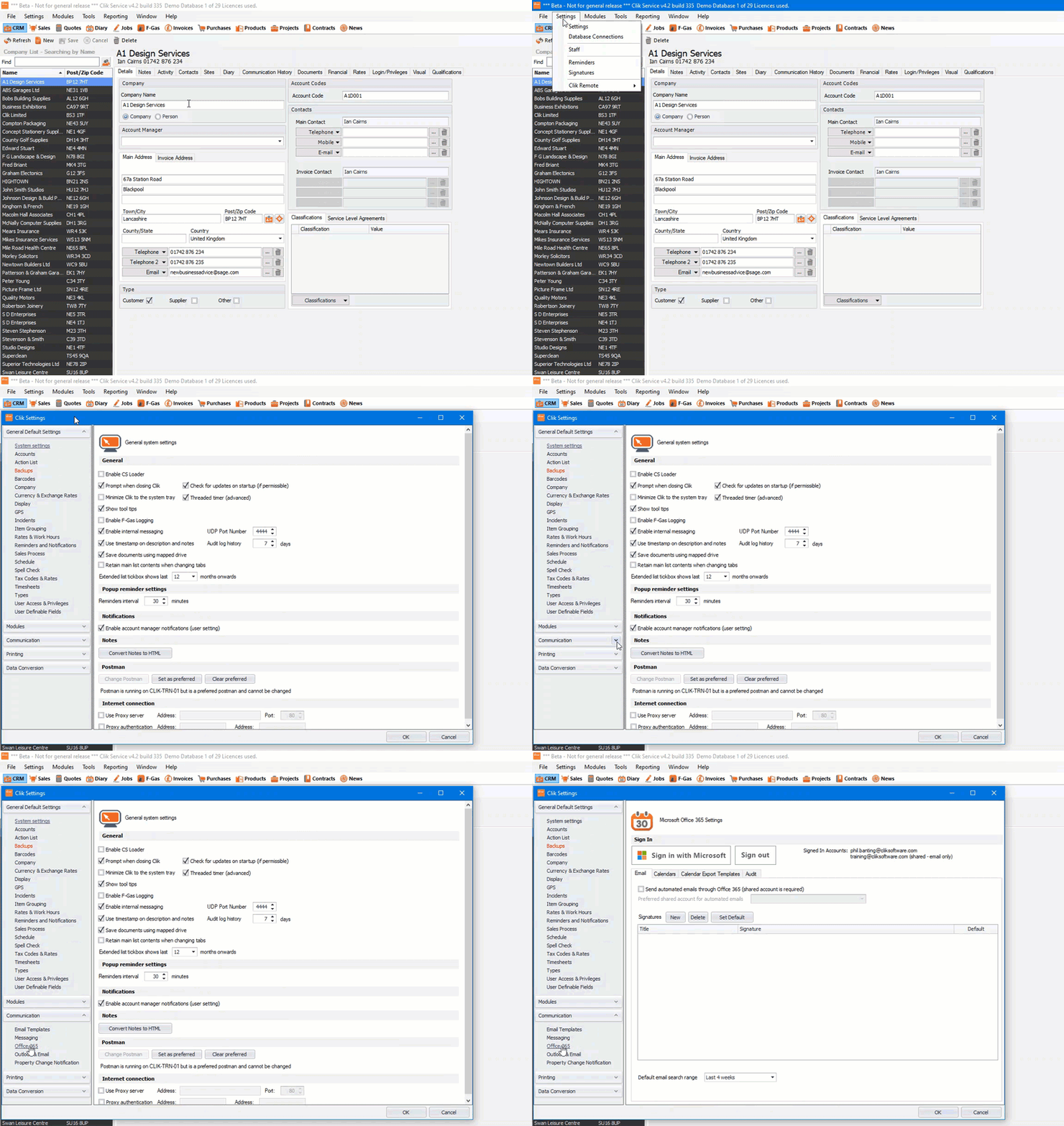
Next, go to the ‘Calendars’ tab. You will now see all your calendars like below.
Please note: If you don’t see the calendar you’re expecting, it could be due to some calendars not being set up with your Office 365 account. This happens when Outlook calendars have been created but are not actually part of your Office 365 account.
You can check this by logging into your Office 365 account and looking at the calendars you currently have, this should match with Clik Service. See more here.
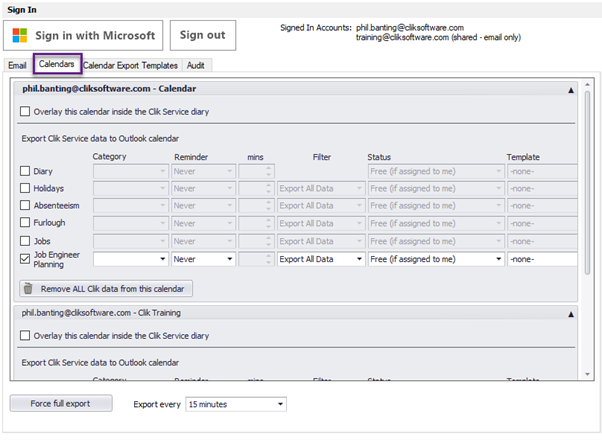
You will see a number of options below ‘Export Clik Service data to outlook calendar’. Tick the types of data you require to go over to your outlook calendar.
In this case, we will just do the ‘Job Engineer Planning’.
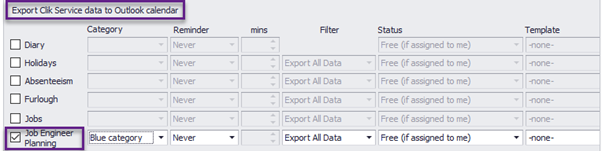
You can now select a category that you may have created in Outlook. You can also decide if you want reminders to be on as always or never and how many mins you want the reminder to be created in outlook.
Please note, if you have reminders on in Clik, you will get these reminders as well.
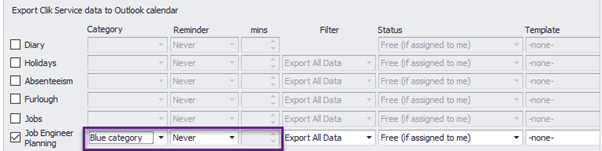
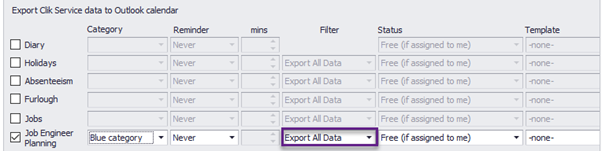
Next, you can filter by which diary entries you require by user or group.
In this case, we will export all as this is for a shared diary where you want to see all jobs that have been planned with an engineer.
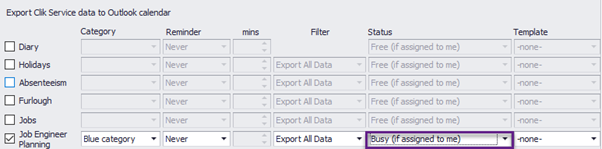
You can also select the status you want to display when these items get transferred to Outlook.
In this case, it will be ‘Busy (If assigned to me)’.
This will make sure if you share your Outlook calendar to other users, it will show as busy if that item is assigned to you.
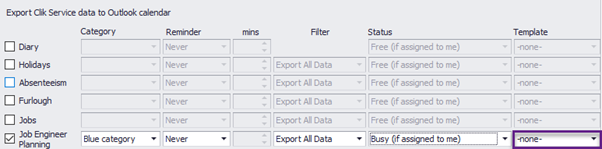
Lastly, you can apply a calendar template that you may have created. To learn more about calendar templates go here.
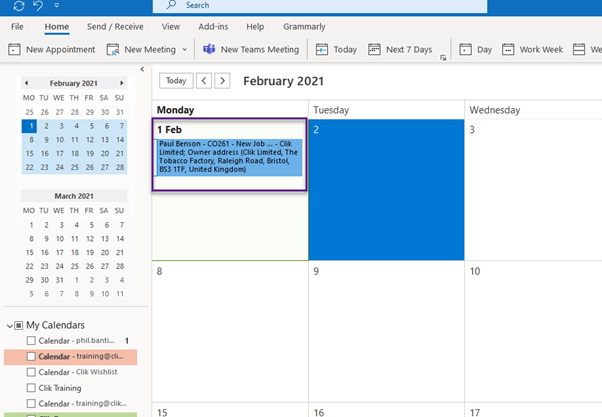
Let’s have a look at the outlook calendar with the job engineers planning entries.
This was added in update v4.335. Make sure to update your software to get all the latest updates and improvements.
Comments
0 comments
Please sign in to leave a comment.