
When setting up an installation on a new machine, you will need to follow the steps for setting up a client machine. When first entering client mode, you will be prompted to enter a network passcode. Here are the steps to retrieve the code.
You can do this by opening the software on an existing client machine, or if this is the first client machine you are setting up then you should have been able to generate the network code during the server installation, the guide for that is here.
First, make sure the user has the correct privileges set up to access the network settings. Follow this guide and ensure the 'Can Access Network Settings' privilege is allowed.
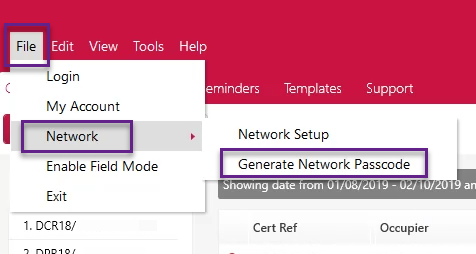
Go to File > Network > Generate Network Passcode.
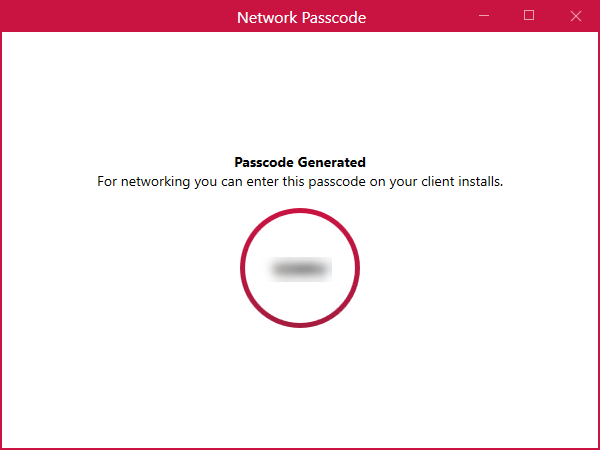
This will then bring up a new window with the passcode. Enter this in the client installation to quickly connect the database.
The setup process was altered in update v1.0.44, make sure to keep your software up-to-date to get all the latest features and improvements.
Published: November 2019
Last Updated: April 2020
Comments
0 comments
Please sign in to leave a comment.