
This article will allow you to add test instruments to your database, so they can be recorded on your certificates.
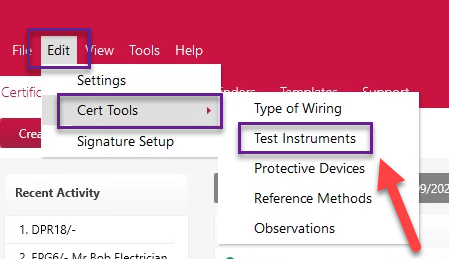
Go to Edit > Cert Tools > Test Instruments.
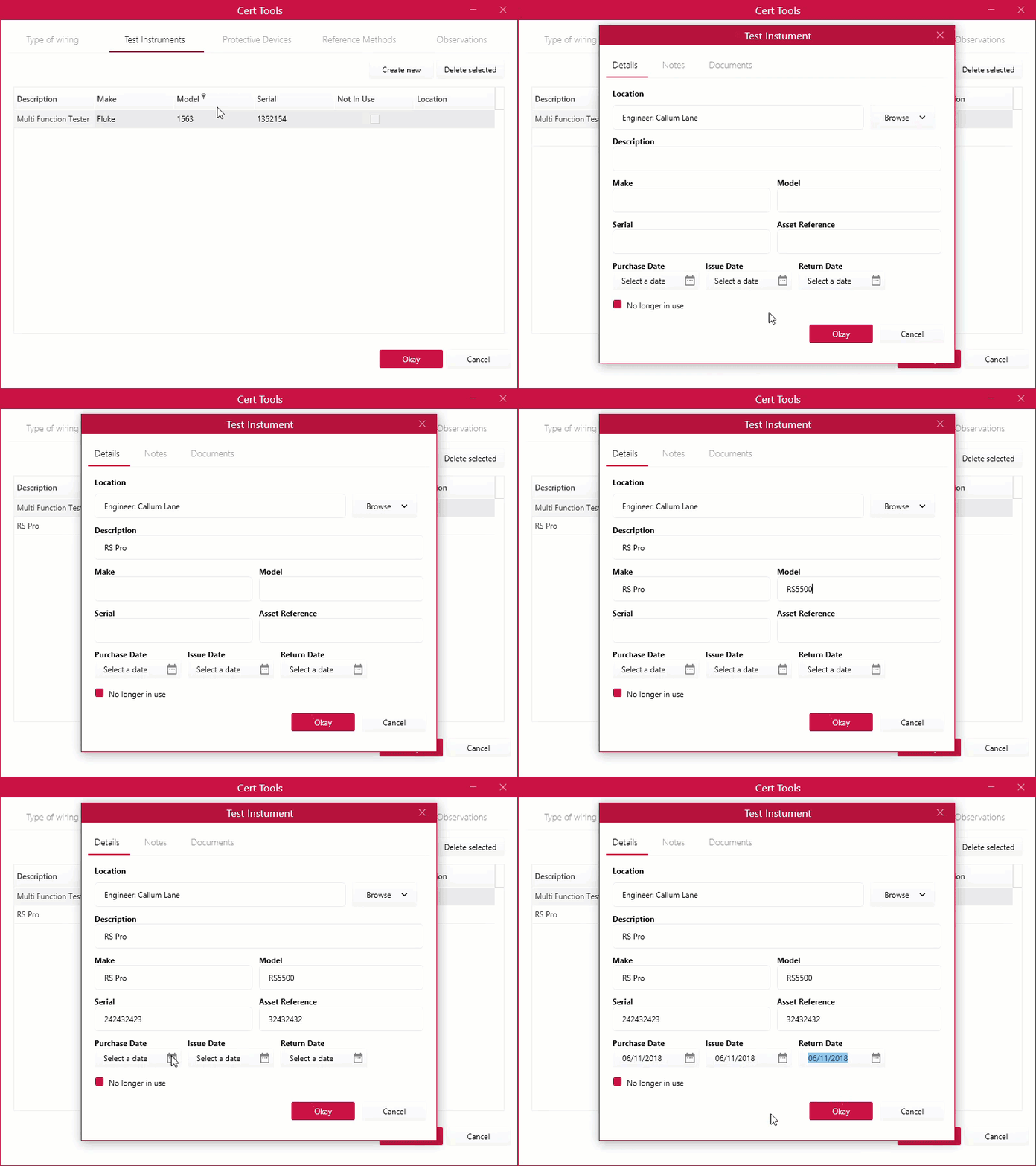
Click on ‘Create New’ and start filling the details of your test instruments.
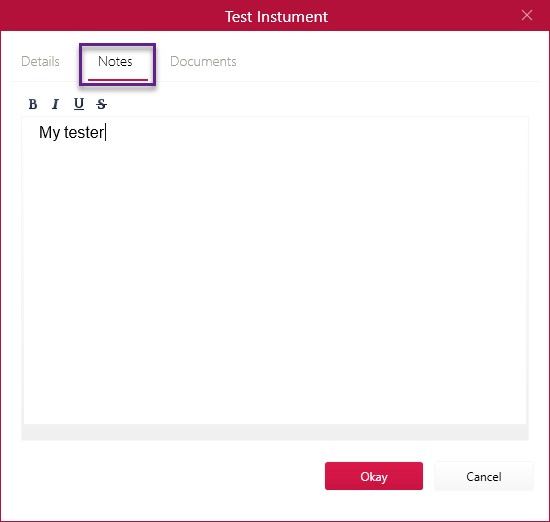
Next, you can put some notes on the test Instrument you’ve created by clicking on the ‘Notes’ tab.
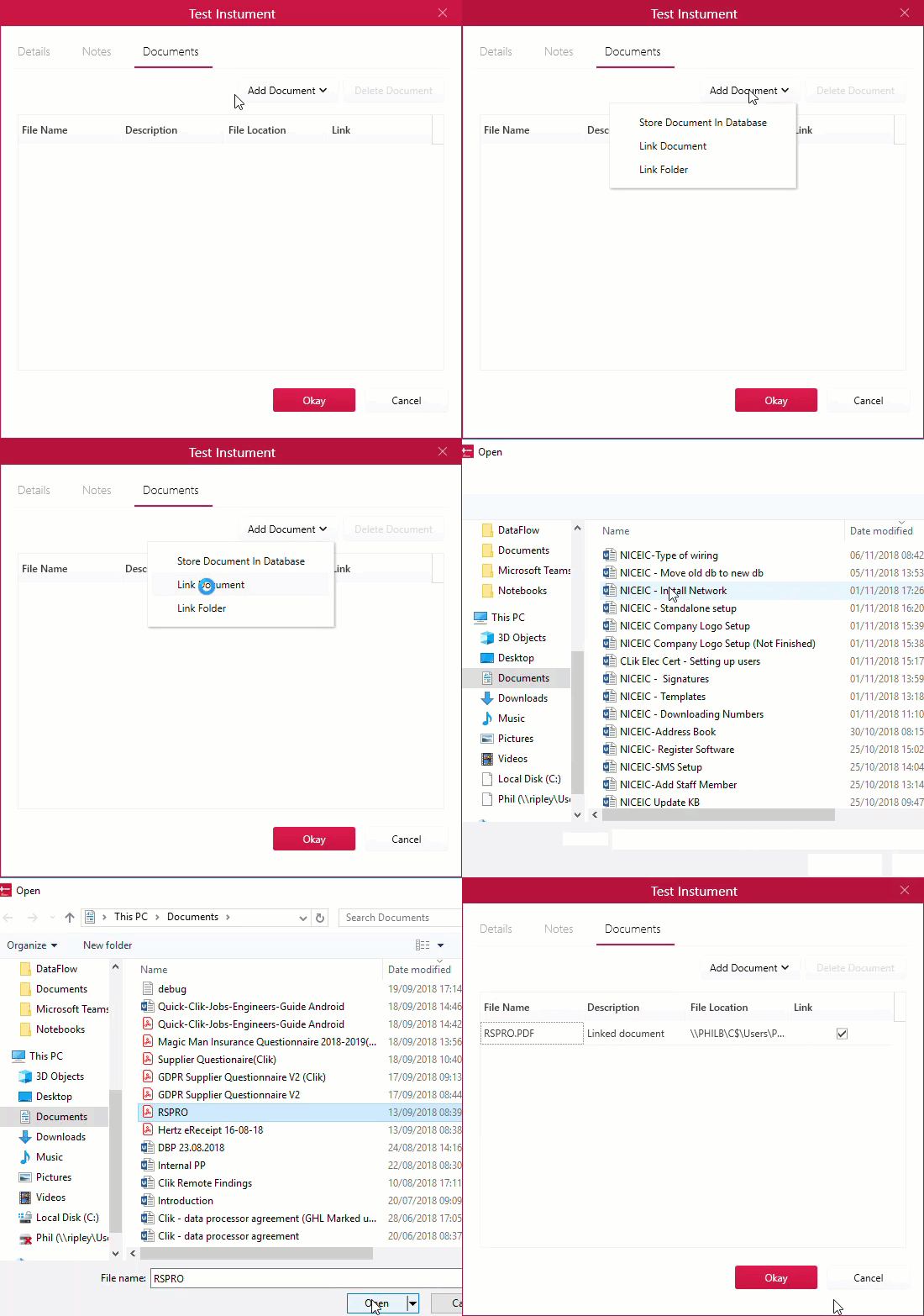
The next tab ‘Document’ is where you can attach useful information about your test instrument like a manual for example. Just go to ‘Add Document’ and click ‘Link Document’, find the document you want to link and click ‘Open’.
Once happy with everything just click ‘Okay’.
Comments
0 comments
Article is closed for comments.