
This article will show you how to log an f-gas leak test.
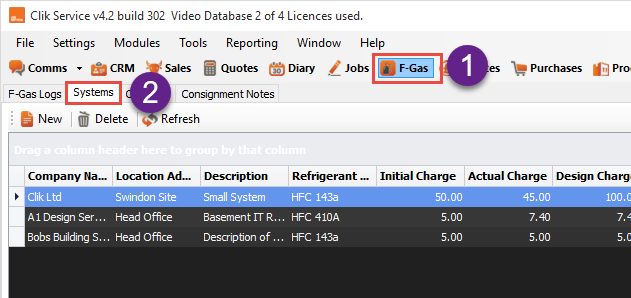
First, go to the 'F-Gas' module and select 'Systems'.
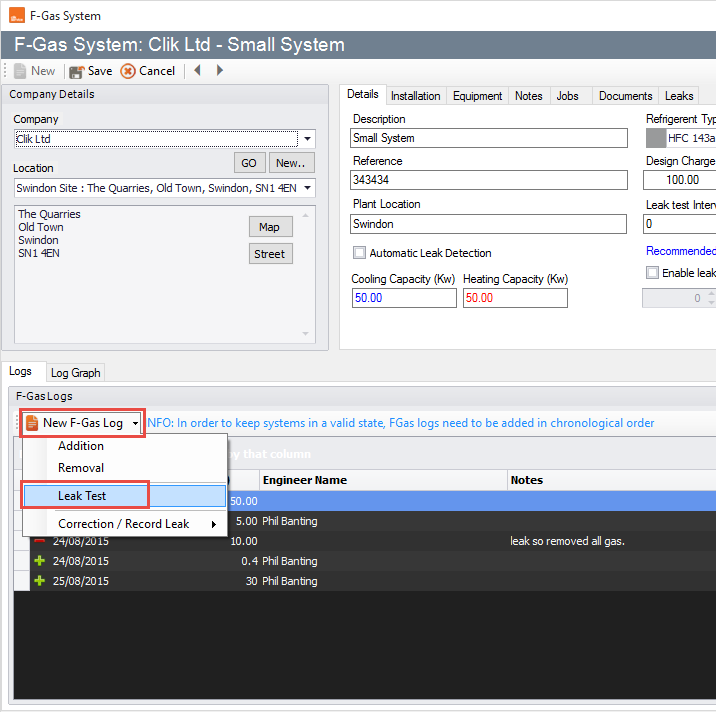
Next, double-click on the system and got to New F-Gas Log > Leak Test.
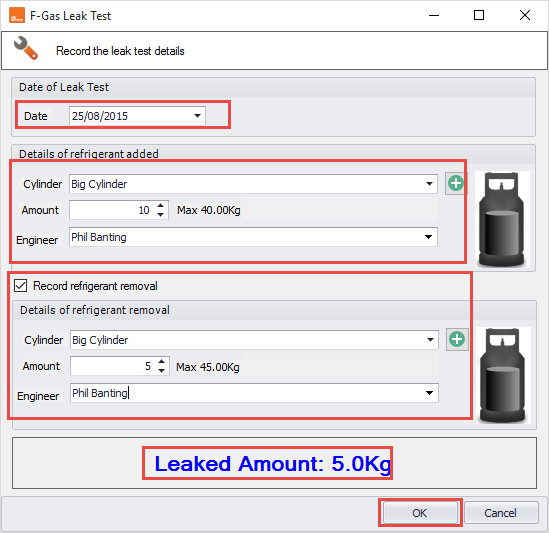
You will now be prompted to fill in the details of the leak test, put in the date of the leak test and cylinder used, but you can also select any refrigerant that you removed as well if necessary.
Once the record of the leak test has been completed, click 'OK'.
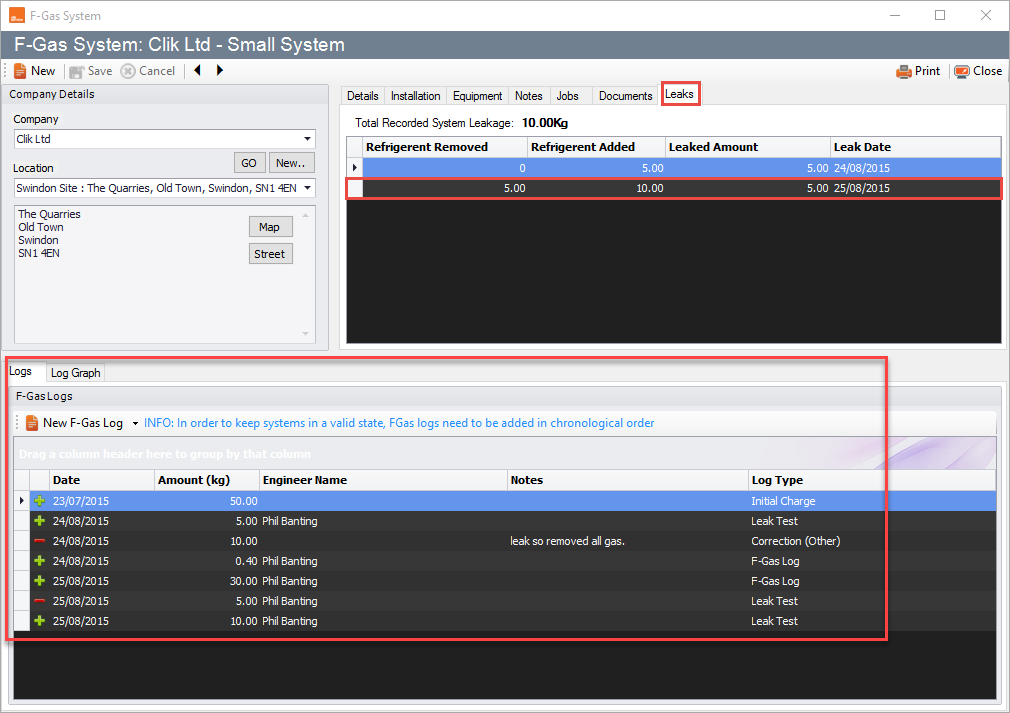
You will now see the leak test in two places: under the logs list and under the tab leaks.
That is how to perform a leak test.
Comments
0 comments
Article is closed for comments.