
Please note: this article refers to an older version of the F-Gas module.
In Clik Service on the top menu bar go to modules > vehicles and select the vehicle you want to add a cylinder to.
At the bottom of the 'vehicles' window, click on the 'cylinders' tab then click 'new'.

- Fill in the details of the cylinder and click 'OK'.

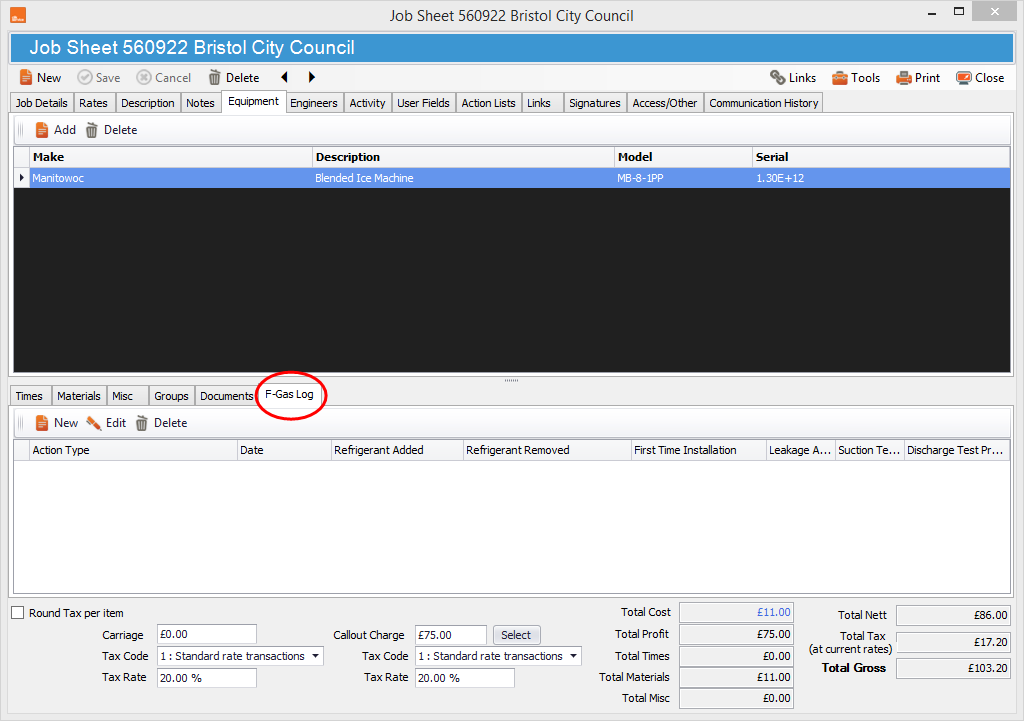
- The next step is to create an F-Gas log entry in a job sheet, which is highlighted below. But before you create a log entry you must have a site address for at least one engineer and one piece of equipment.
- Once you've entered the above, click 'New' and a new window will appear for you to fill in your log entry.
- Add the cylinder you're using by double-clicking it or using the arrows in the centre of the window.
- Once selected the cylinder will move to the right-hand side of the window and you should click 'OK'.

The finished log entry should look something like the below screenshot.
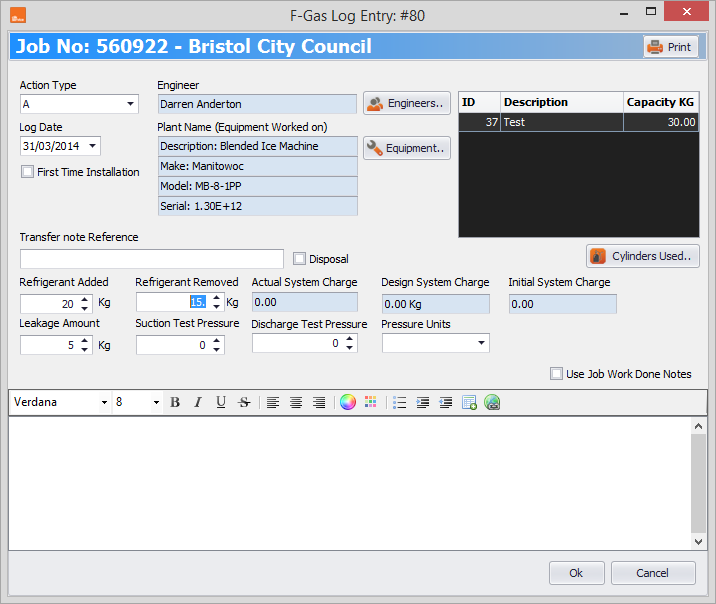
Once completed click 'OK' and the F-Gas entry will be done.
Comments
0 comments
Article is closed for comments.