
This article will show you how to create a system within the f-gas module. We will start by setting privileges for the users that need to create systems, then move onto the installation and warranty reminders, adding refrigerant leak tests and finally look at adding equipment, notes and jobs to the system.
Setting Privileges
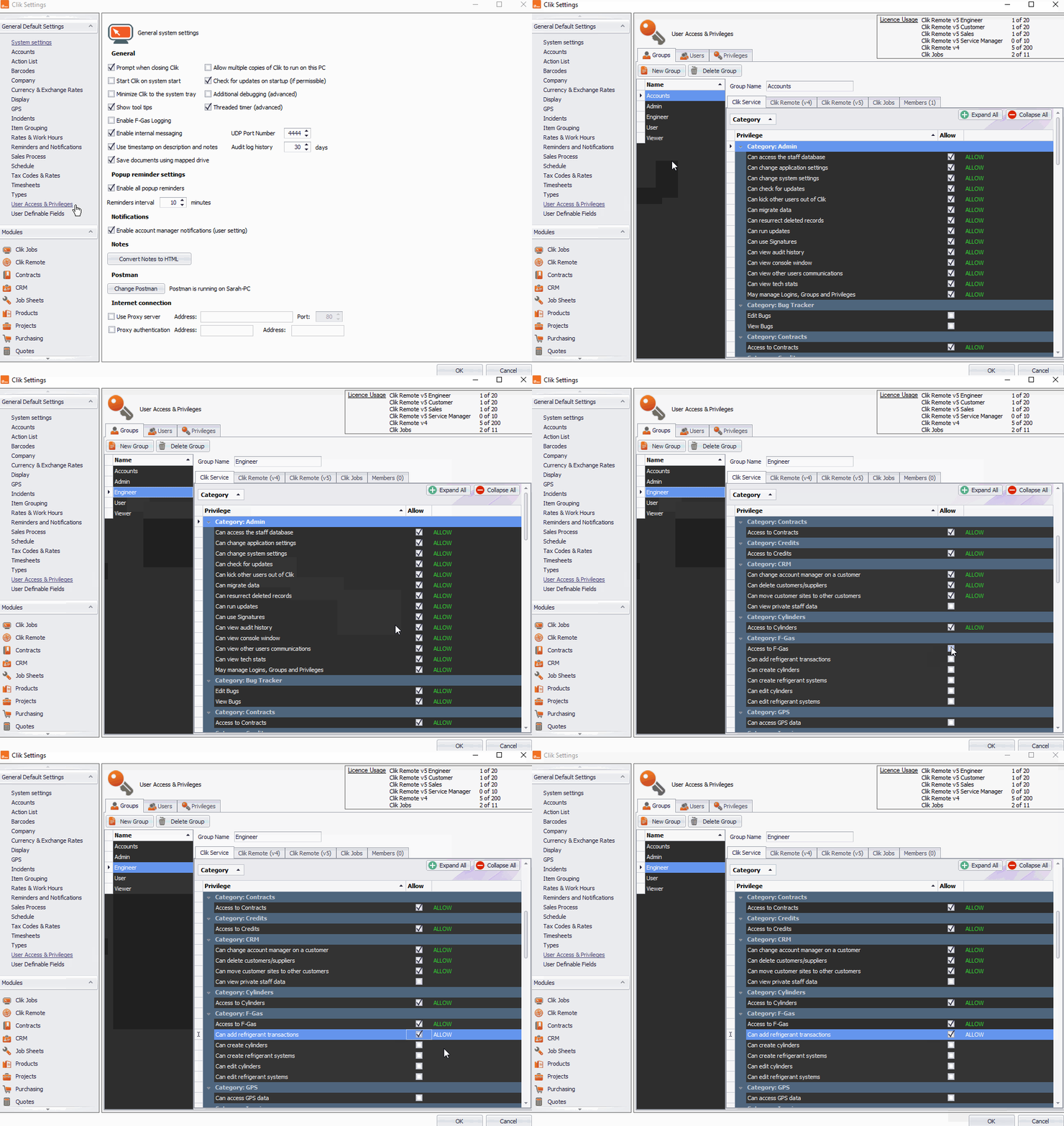
Before you create a system, you must set the correct privileges for users.
To do this go to Settings > Settings.

Then, go to 'User access & privileges', select the group or users you want and tick the 'Access to F-Gas' and 'Can add refrigerant to transactions' privileges.
Click 'OK' when finished.
Creating a New System
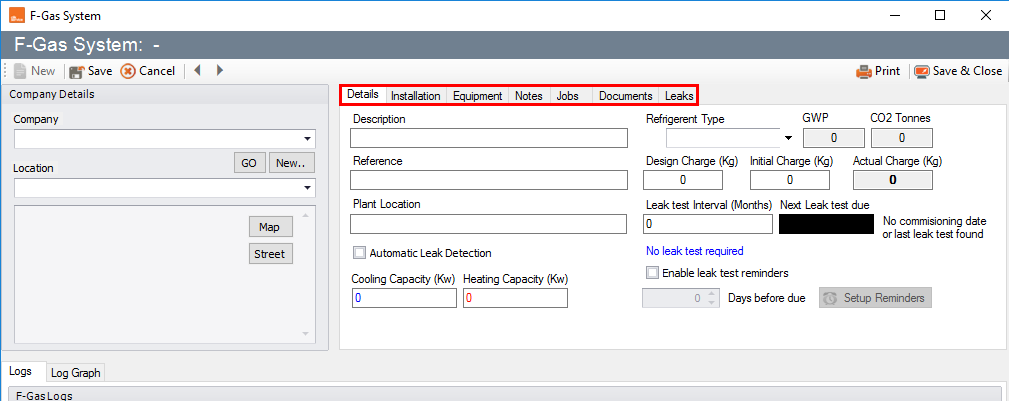
Click on 'F-Gas' and select System > New. This will create a new system.

Fill in the details under the details, installation, equipment, notes and jobs tabs.
Creating F-Gas Logs For The System
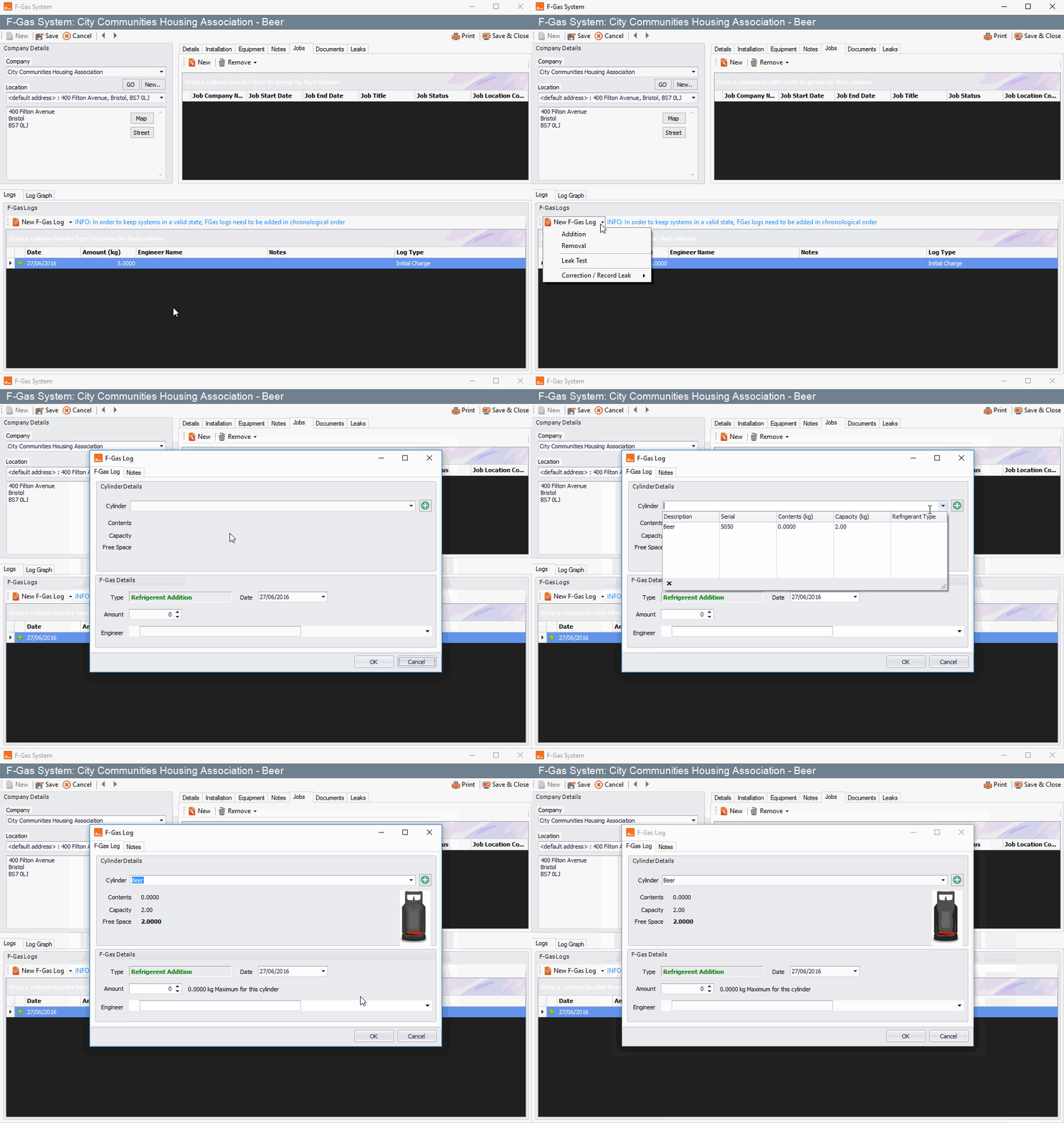
Click 'New F-Gas Log' and choose an option from the drop-down list. In this example, we're selecting 'Addition'.
Then put the cylinder details in that you are either adding, subtracting or replacing from a leak test then click 'OK'.
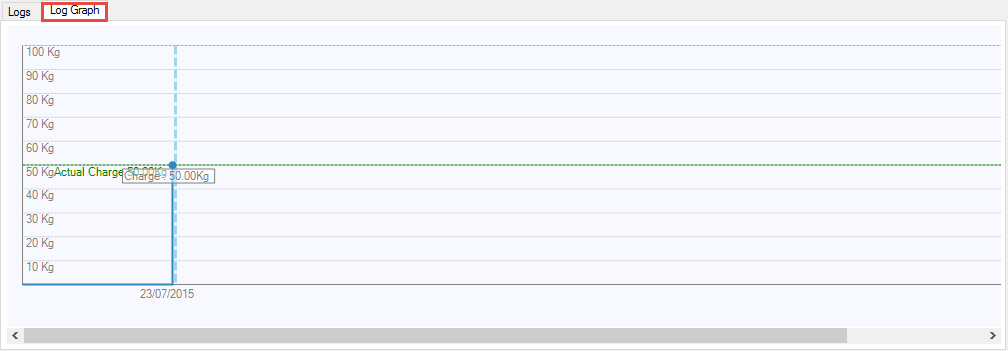
The log graph tab will show you a graph of what charge you have put in.
Comments
0 comments
Article is closed for comments.