
This article will explain how you buy refrigerant from suppliers and book it in through goods inwards with Clik Service.
Before you do this you must create the gas as a product in the product database.
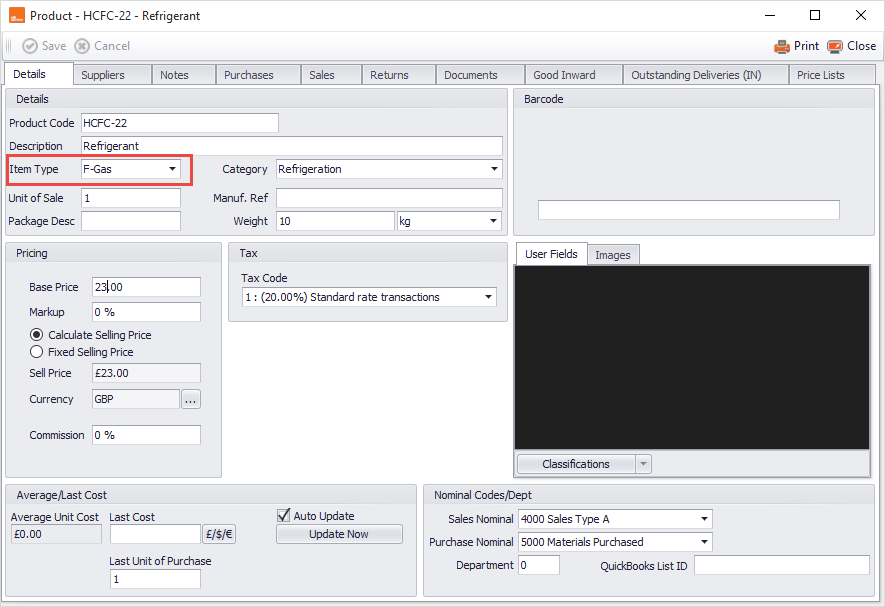
Go to Products > New. When creating the product make sure you select f-gas in the item type box. It should look like the below.
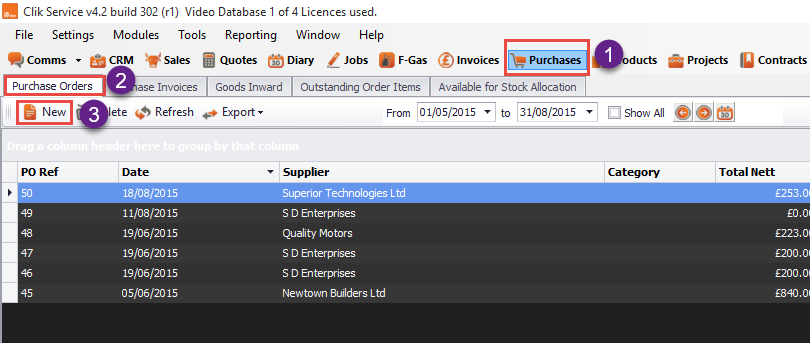
Next, you need to create a PO by going to purchases > purchase orders > new.
Next, fill in the PO like below and add the refrigerant you require. Qty is kg in this case for the refrigerant needed.

Once you’ve done this and saved the PO, you can now book it in via goods inwards.
Go to Purchases > Good Inward > Process Goods Inwards.
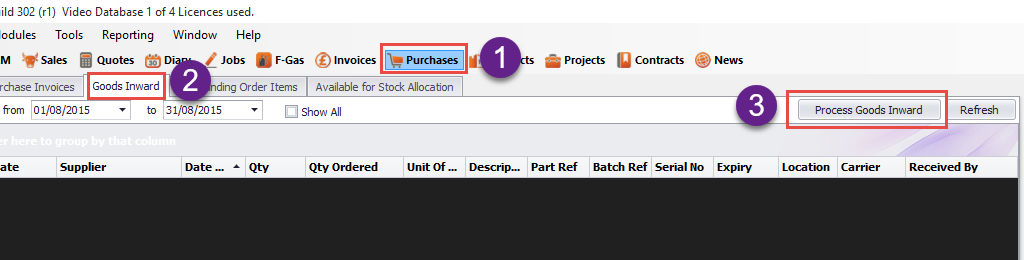
You will see the below screen, you now have to find the PO where the refrigerant is by typing the PO number in the find PO box.
Next, put the amount of kg of refrigerant you have been given in the 'Received Today' column. Then go to the 'Location' column and select the cylinder the refrigerant is going to.
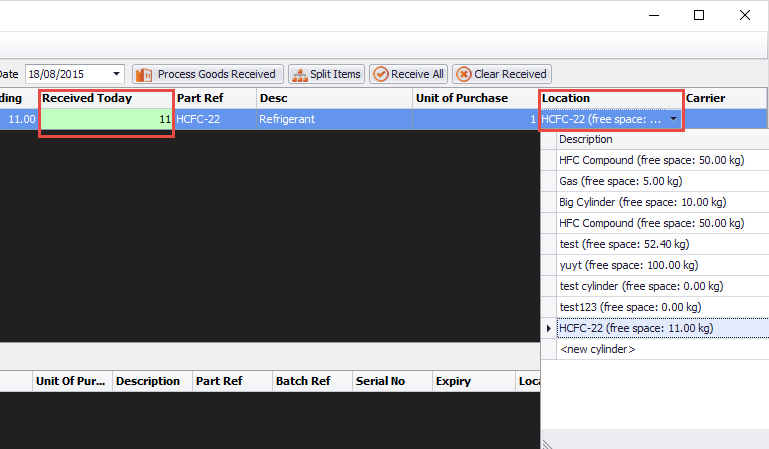
Once this is correct, click 'Process Goods Received' and the transaction will then appear below in good inwards.

Comments
0 comments
Article is closed for comments.