
You can create new certificates from Field Mode to later send back to the desktop ready for completion.
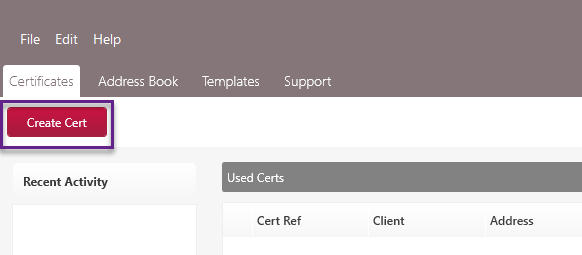
To create a cert, go to ‘Create Cert’.
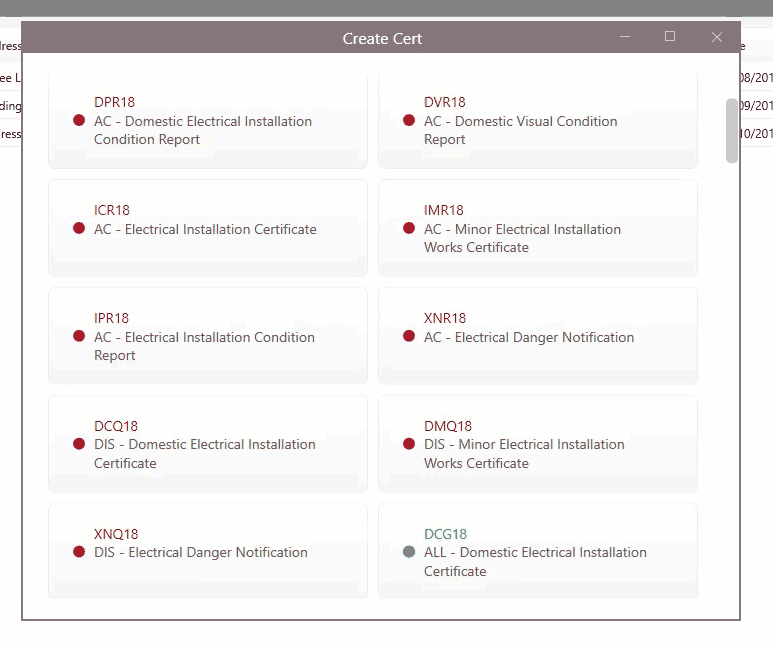
Next, select the cert you wish to create from the cert list. When the cert opens, you can fill out the fields as required, just like you would in the main desktop software.
Click ‘Save’ when you are finished and close the cert.
When you have finished filling out the appropriate certificate details in Field Mode, you will then need to upload them back to the main software to be completed. See this article for the steps.
Please note: this guide features screenshots taken from Field Mode update v1.0.44, so images/icons may differ in earlier versions.
Update your software to make sure you have the latest features and improvements. To update Field Mode, go to Help > Check For Updates.
Published: March 2019
Last Updated: November 2020
Comments
0 comments
Article is closed for comments.