
From time to time, you will need to update your software to a newer version, this article will show you how. You will receive a notification when there is an update available.
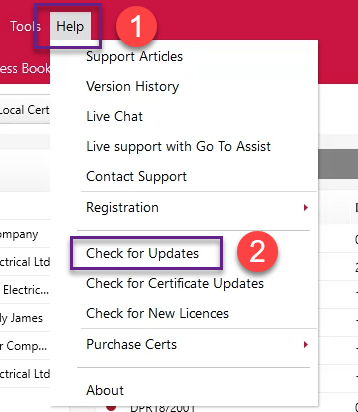
First, go to Help > Check for Updates.
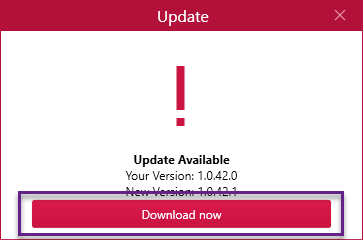
You’ll now see information about the current version you have and the newest version available. To do the update just click on the ‘Download now’ button.
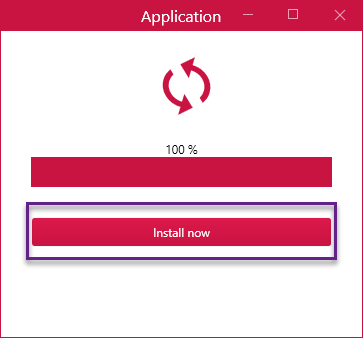
The software will now retrieve the update and you’ll be prompted to click the ‘Install now’ button to install the software. When you do this the program will shut down and update the software, once finished it will automatically re-open the software.
That’s it. You should now be fully updated.
Published: July 2019
Updated: November 2020
Comments
0 comments
Article is closed for comments.