
With Clik Service, you can see reports for a financial year or quarter. This article will show you how.
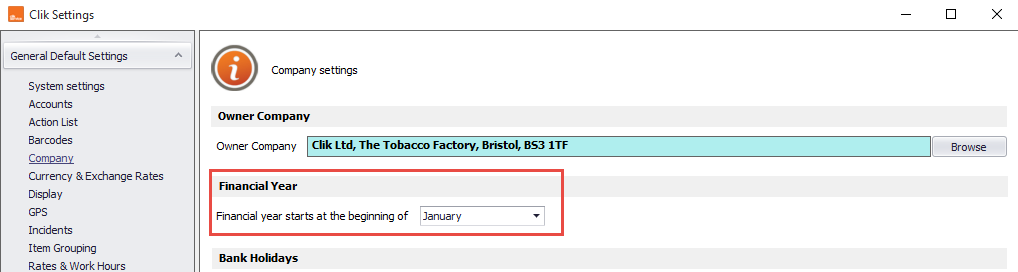
First, we need to set up your companies’ financial year. To do this go to Settings > Settings > Company, and here you can select the month your financial year starts.
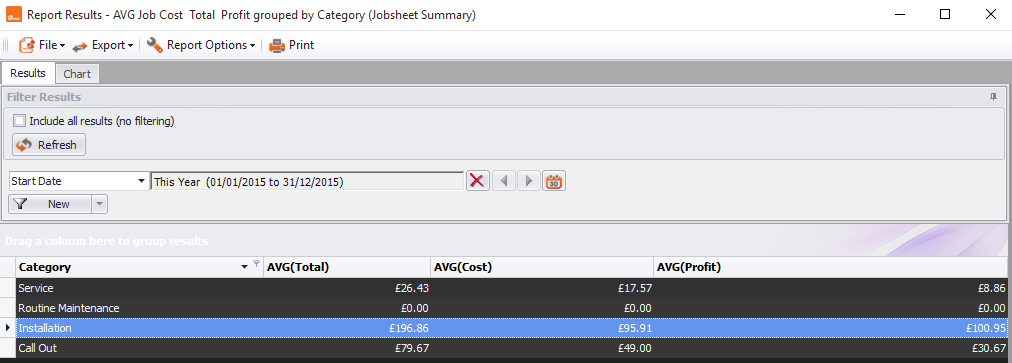
To see this work in a report, go to Reporting > Pre-configured reports > Job Sheet > AVG job cost total profit grouped by category.
Next, click the calendar icon button and you'll see a drop-down menu full of date options, one being this financial year.
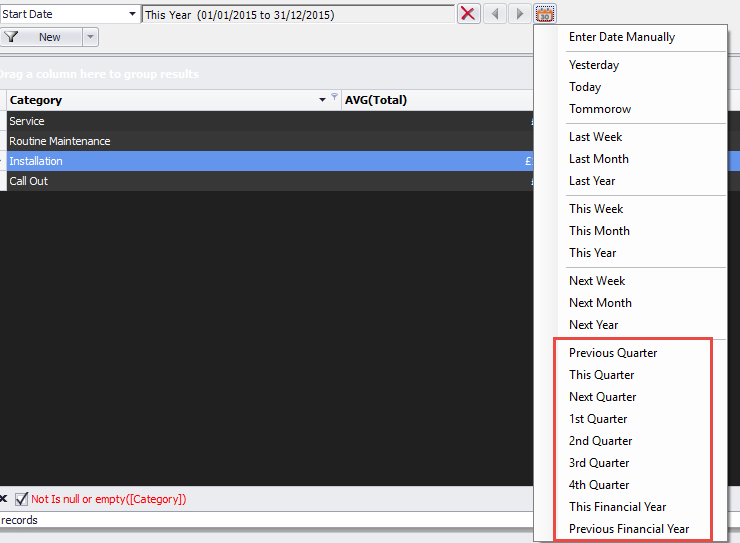
Once you’ve chosen your date range, click the 'Refresh' button to see the results.

Comments
0 comments
Article is closed for comments.