
When using purchase credits, we recommend creating them from a purchase invoice.
To do this, open the purchase invoice you want to put the credit on.
Go to Activity > Purchase credits > New.
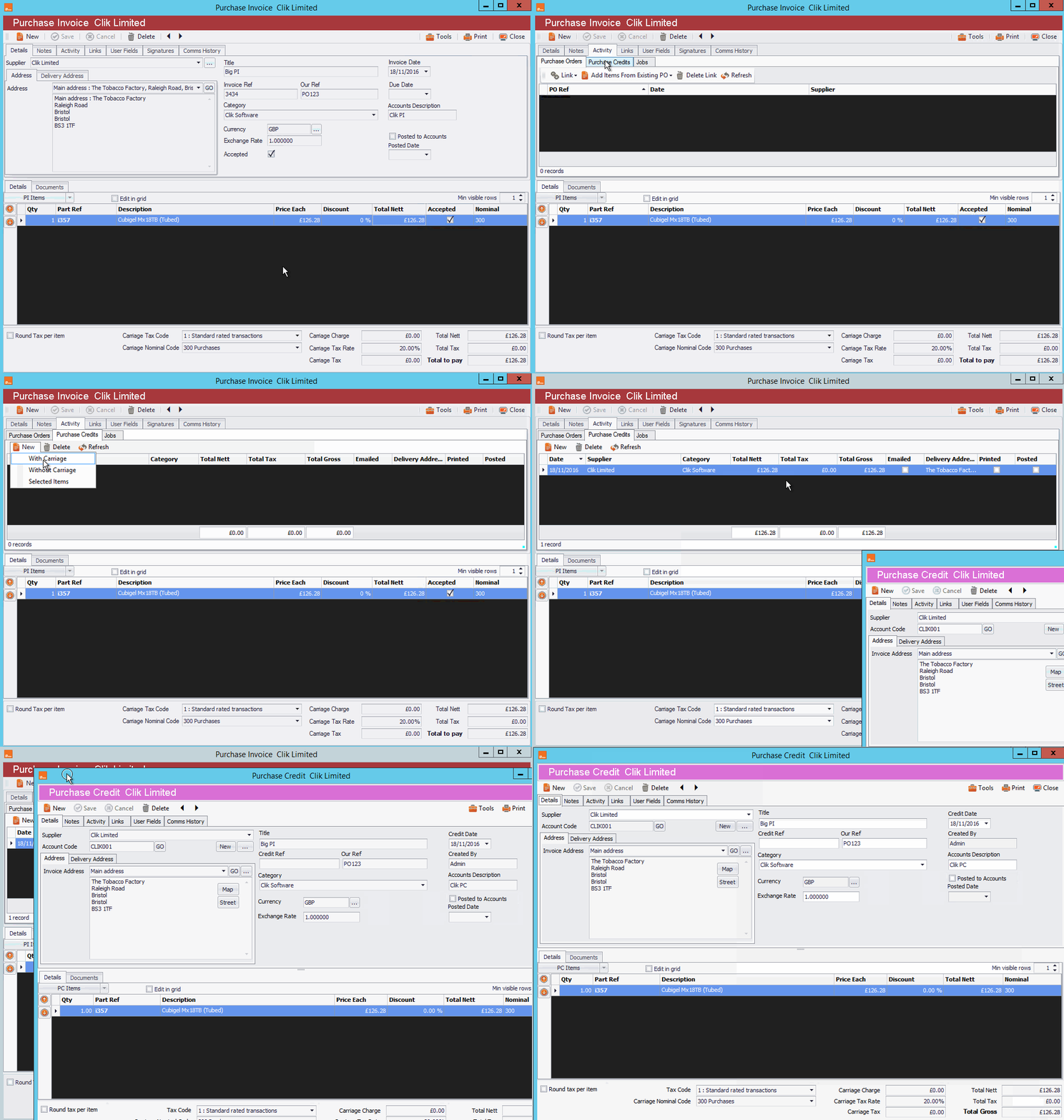
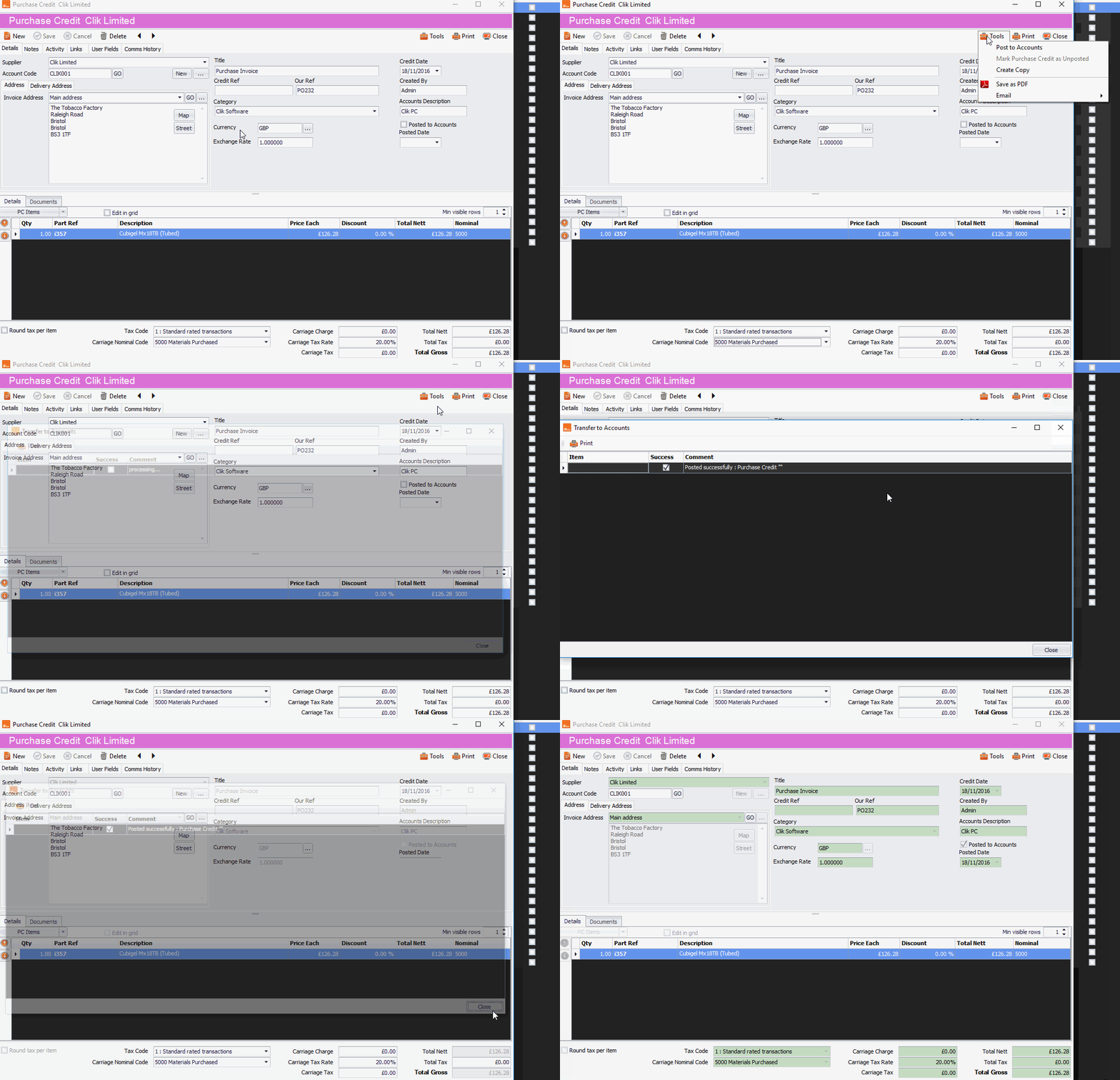
Now fill in the details of your purchase credit and post it to Sage or Xero by going to Tools > Post to accounts and click 'Save'.
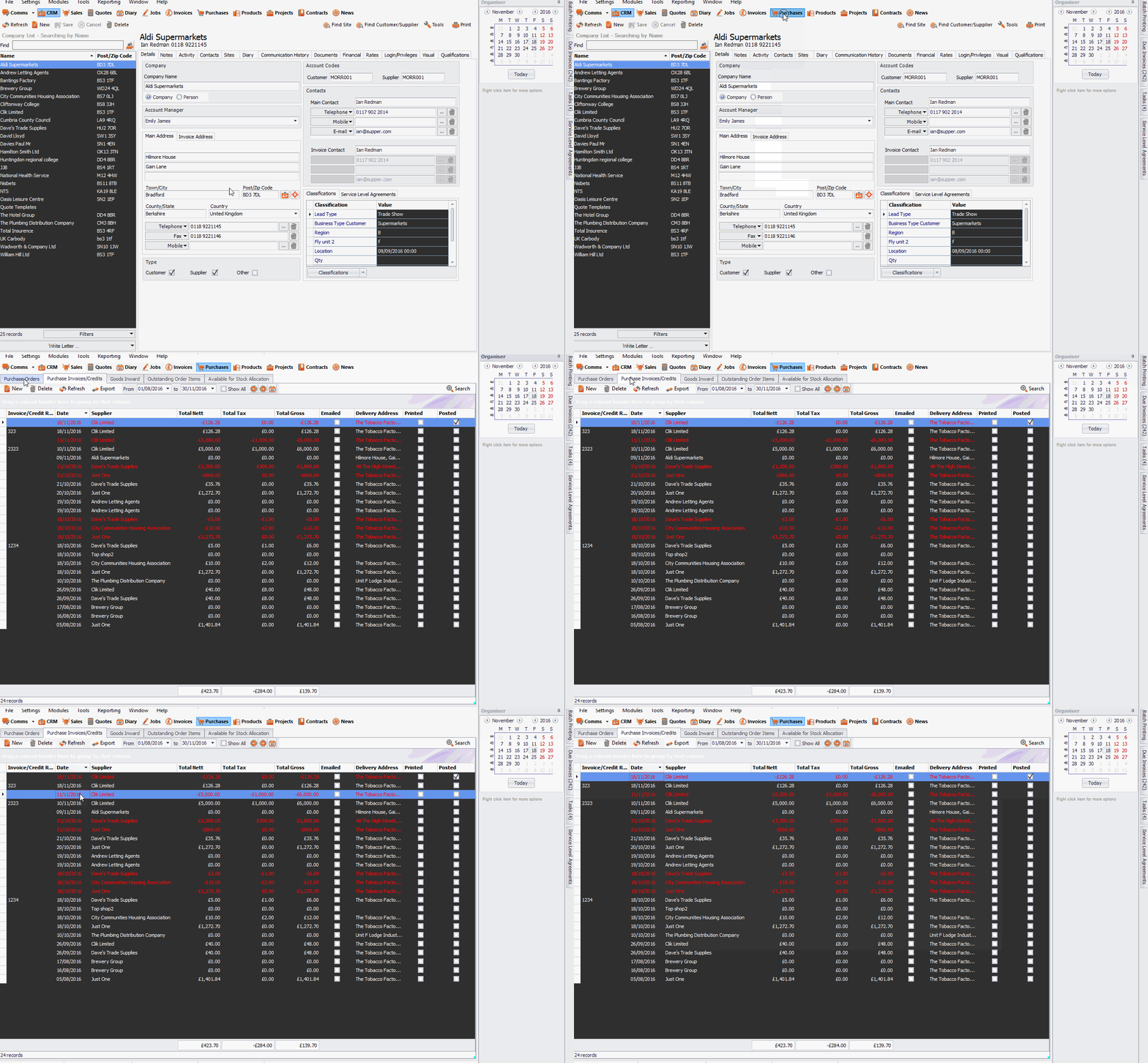
In the 'Purchase invoice/credit' module, you will now see all credits highlighted in red.
Comments
0 comments
Article is closed for comments.