
You can export your reminders to CSV in the NICEIC Cert Software. To do this, go to the ’Reminders’ tab and click on the ‘Export List’ button. You can then save to the location you want.
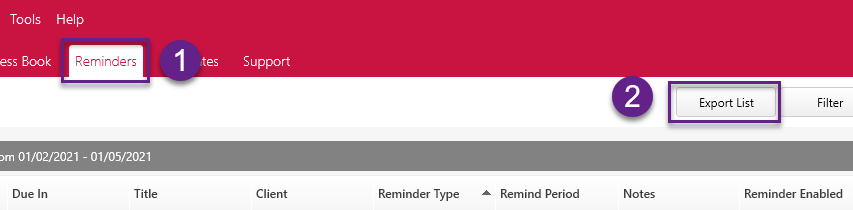
You might need to filter this list to show specific reminders.
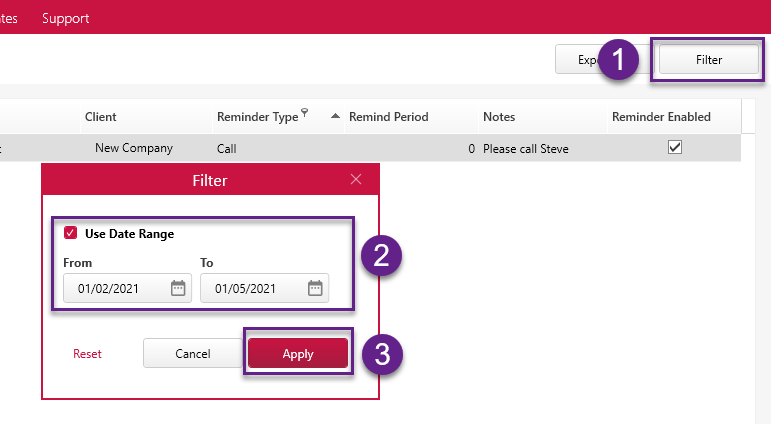
You can alter this by data range. Click ’Filter’, tick the ‘Use Date Range’ box, select the date range that you want to export and click on ‘Apply’.
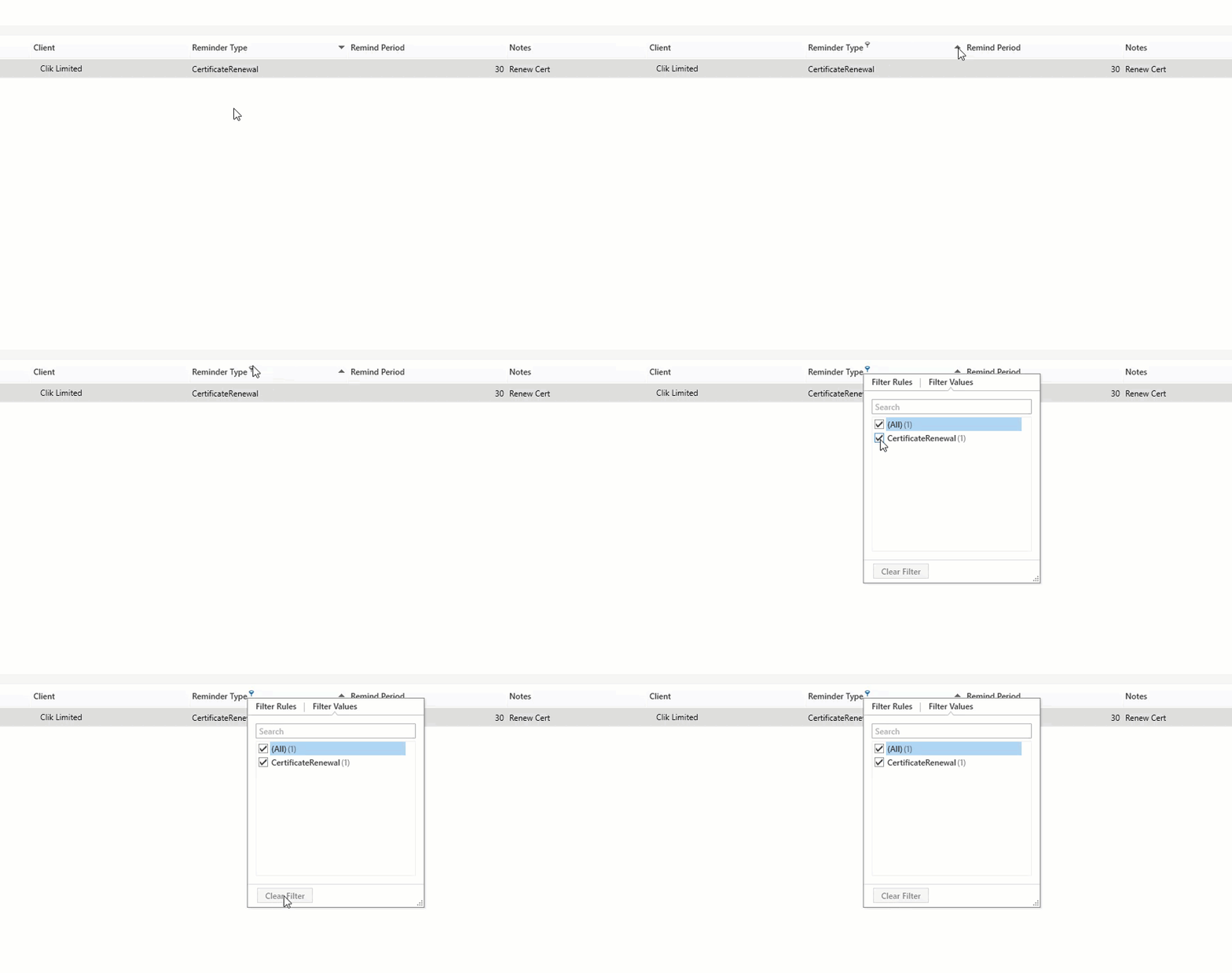
You can also hover over any of the column headers and click on the filter icon to choose specific filters or options.
As an example, you can click on the filter icon on the ‘Reminder Type’ column and select a type to export, as shown below:
If a certain column is not visible on your reminder list, you may need to add it using the column chooser.
This feature was added in v1.0.53.
Comments
0 comments
Please sign in to leave a comment.