
When setting up reminders, you can also select what kind of notification the user will receive to inform them of important dates.
Navigate to the ‘Reminders’ and select an existing reminder or create a new one.
Then go to the ‘Users’ tab, select the user and click ‘Add Notification’.
Click on the ‘Add’ drop-down and select the contact details.
If there are no options listed, you will need to first add them into the user details by going to View > Staff. You can also add them by selecting the 'Custom' option from the drop-down.
When the notification type has been added, click ‘Okay’ to confirm the additions.
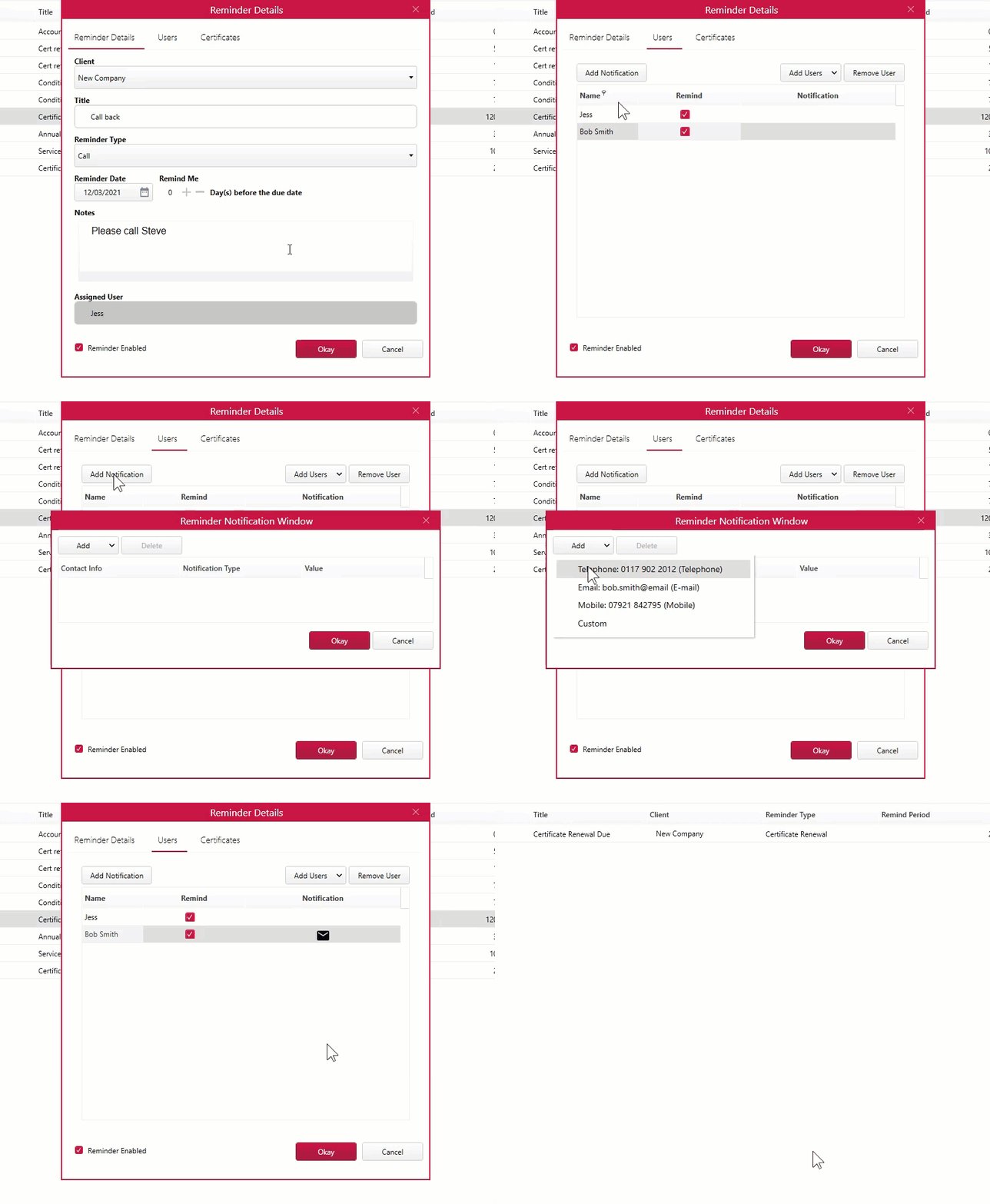
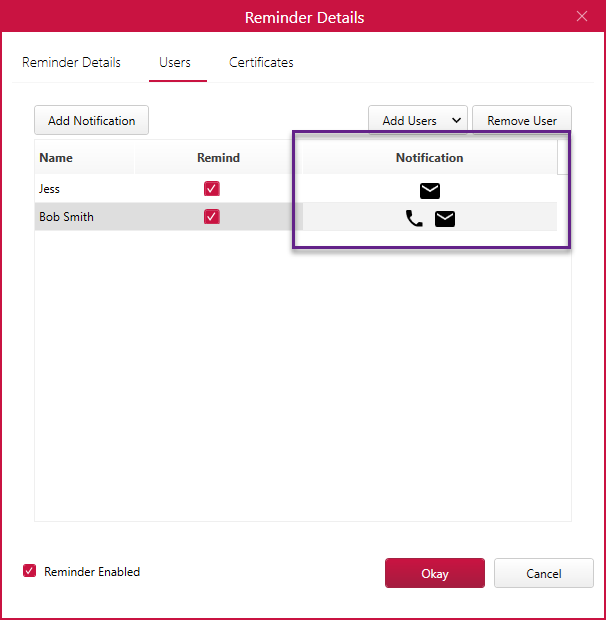
You can see which reminder types have been added for each user by the symbols indicated under the ‘Users’ tab.
Published: March 2020
Comments
0 comments
Please sign in to leave a comment.