
After you have purchased Clik Cert, your account manager will email over your registration details. This will consist of your company name and a product key.
Once you have received this and installed the software, go to Help > Registration > Register purchased software.
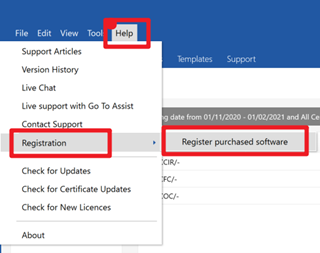
This will populate the registration box as seen below. Enter your registration details into the boxes.
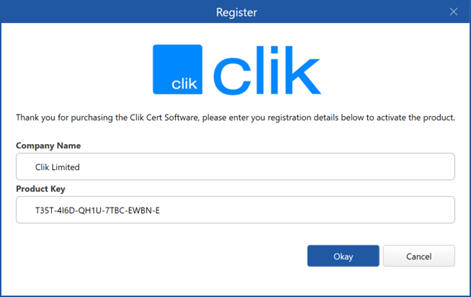
Note: We recommend copying and pasting the details across from the email to ensure there is no error
Comments
0 comments
Please sign in to leave a comment.