
This article will show you how to set up colour coding for the status of a quote.
First, go to Settings > Modules > Quotes and tick the ‘Enable status colours’ box.
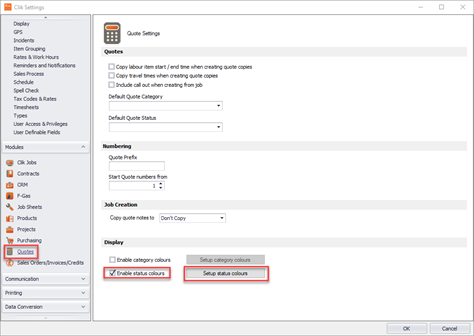
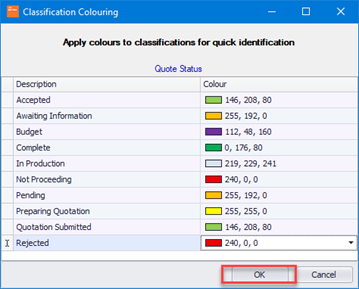
You can then select the ‘Setup status colours’ to select the colours for your statuses. Once done click ‘OK’
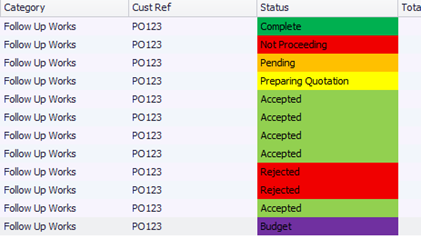
Now go to your quote list and you will see the colours under status.
This was added in update v4.334.
Comments
0 comments
Please sign in to leave a comment.