
You can find the ‘Systems’ tab in the Customer login of the Clik Remote F-Gas module. You will first need to ensure the Customer login has the appropriate privileges to view this.
Go to the ‘Systems’ tab found in the left-hand side menu and select a system description from the list.
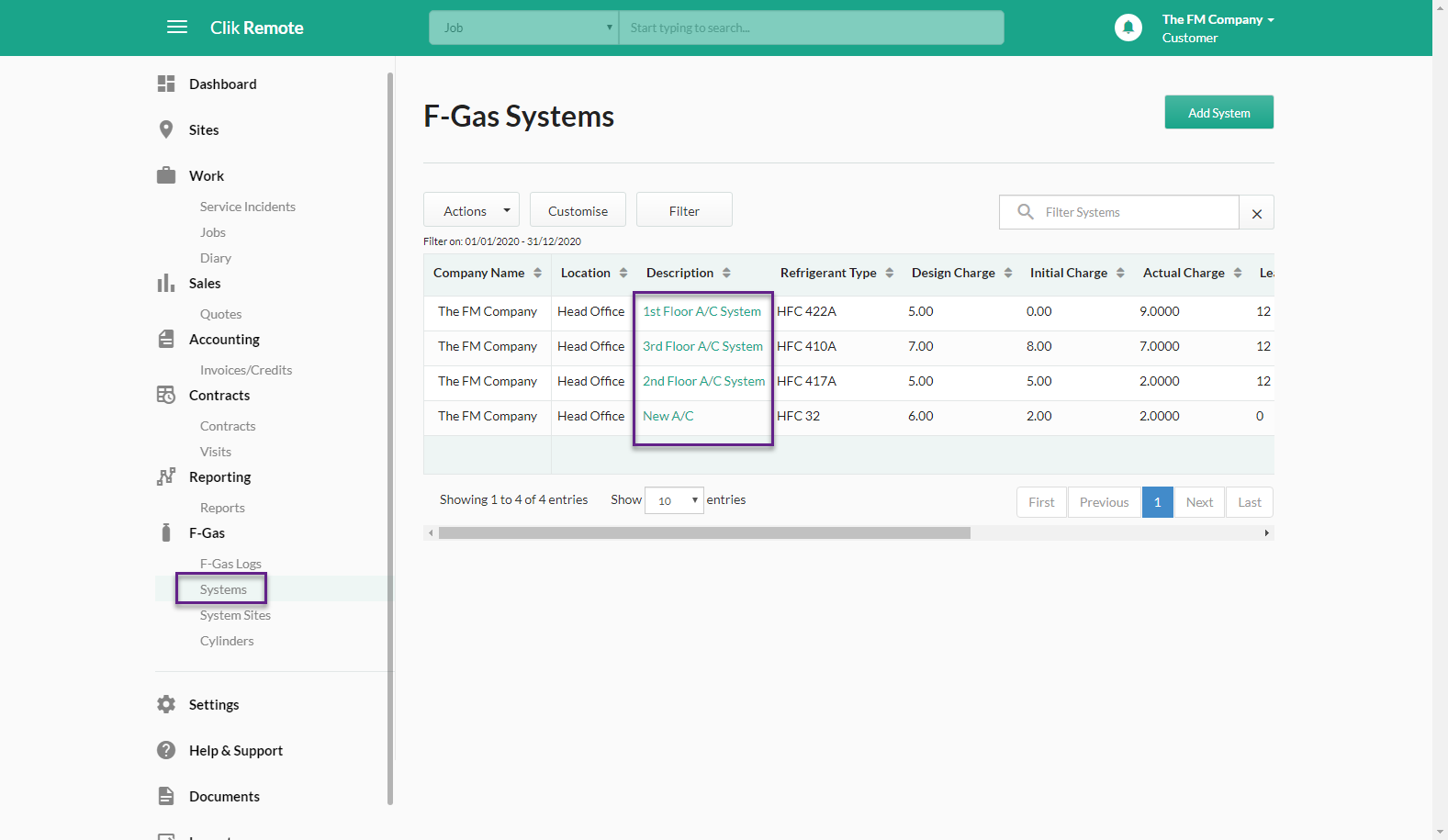
Here, you can then view the details of the system. Go to the ‘Logs’ tab at the top to then view all the actions that have been made to this system.
It will be able to show you the job related to the log, the engineer responsible as well as the refrigerant and log type.
You can alter the columns shown here by going to ‘Customise’, selecting the columns you wish to view and clicking ‘Close’ to then make these changes.

Published: February 2020
Comments
0 comments
Please sign in to leave a comment.