
This article will show you how to create a new system within the F-Gas module in Clik Remote. You will first need to make sure the user has the appropriate privileges set in order to access the F-Gas module. You can find the steps on how to do this here.
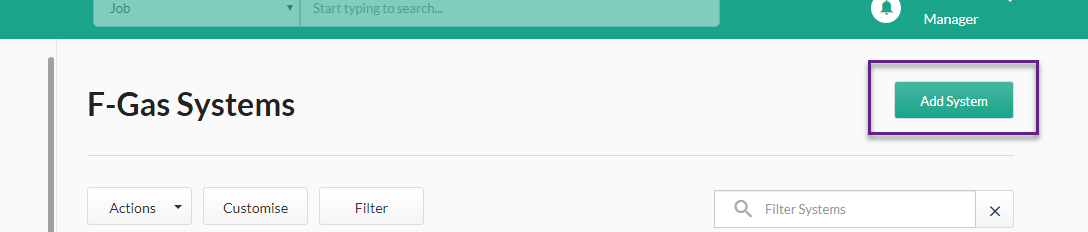
Click on ‘Systems’ under the F-Gas header in the side menu, then click ‘Add System’.
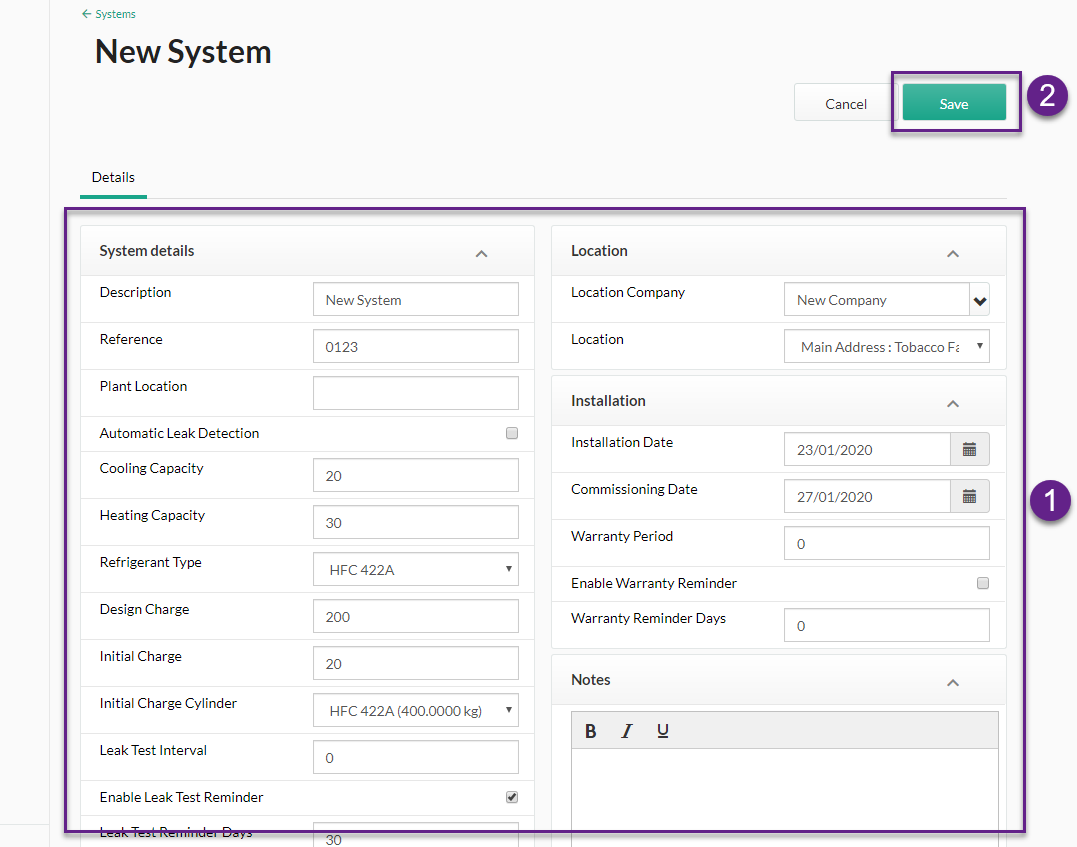
A new window will appear, here you can fill in the relevant system, installation and location details needed, as well as relevant notes. Click on 'Save' when the details are completed.
Published: January 2020
Comments
0 comments
Please sign in to leave a comment.