
This will allow you to easily import all users from the previous software but also bring signatures and current passwords over to the new software.
First, go to Tools > Data Importer.

Next, select your old database, most commonly it will be a Microsoft access database, if you stored the ‘cert2008’ data in another folder please select ‘Browse’ to find it.
The new software database location will be the one you’re currently running, so just click ‘Next’
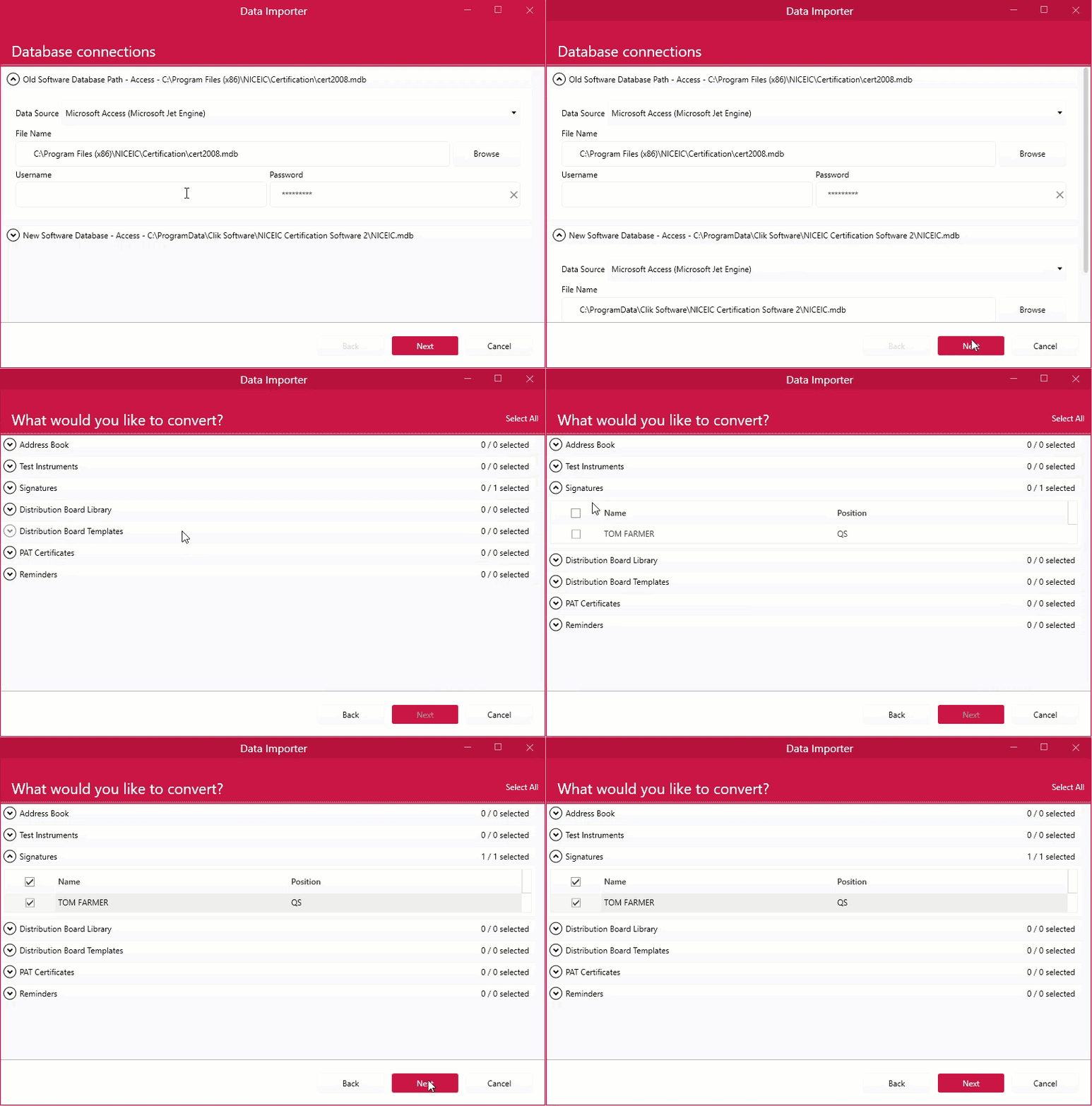
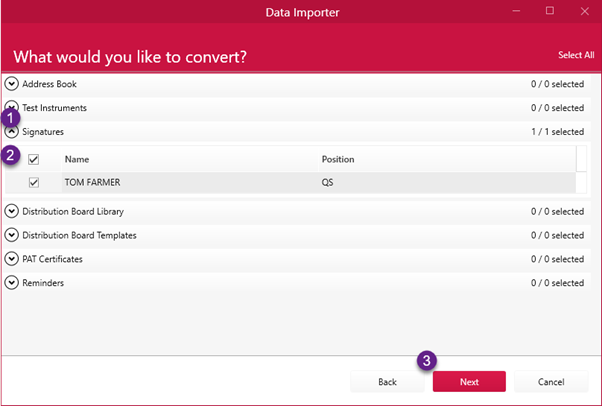
Now select signatures and select the users you wish to convert into staff members on the new software and click ‘Next’.
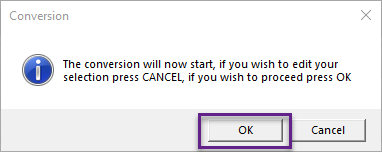
Click ‘Ok’ on the prompt.
Now you will receive a conversion complete message. You can now check your staff database to see if the users have been converted by going to View > Staff.
This is part of the NICEIC Cert Software v1.0.35 update, see what else is new in the version history.
Published: January 2019
Last Updated: Febraury 2021
Comments
0 comments
Article is closed for comments.