
This article will show you how you can download certs that have been sent to your field users on the Clik Cert Electrical app.
Please note: the screenshots in this guide are taken from an iOS tablet so images/icons may differ in the Android version.
If you are unsure how to select the certs a field user can access, see this article.
First, make sure you’re in the cert list; tap on the three bars icon ( ) to open the menu and select 'Cert List'.
Next, hold and drag from top to bottom and select ‘Start Sync’ when the new window applies.
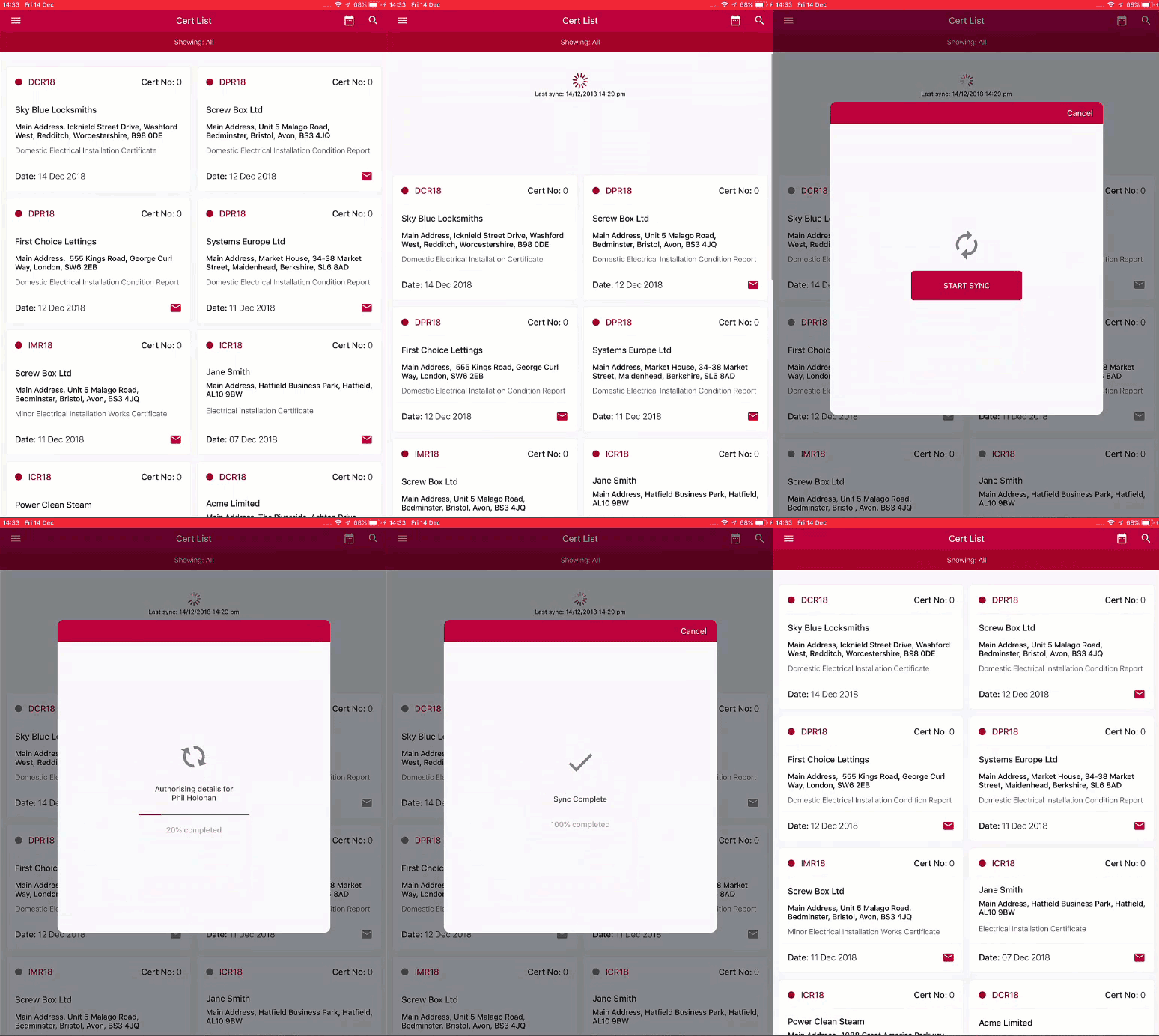
When the sync is complete, your certificates will be ready to use.
Published: December 2018
Last Updated: September 2019
Comments
0 comments
Article is closed for comments.