
To display your engineer’s workloads in Clik Service follow the steps below.
Start by clicking on the 'Jobs' module, then click on the 'Engineer's jobs' tab.
From here you will be able to see all the job sheets assigned to all your engineers.
If you need to see which job sheets are assigned to each individual, select the engineer you want to see from the drop-down menu 'All engineers' at the top of the module - which is highlighted below.
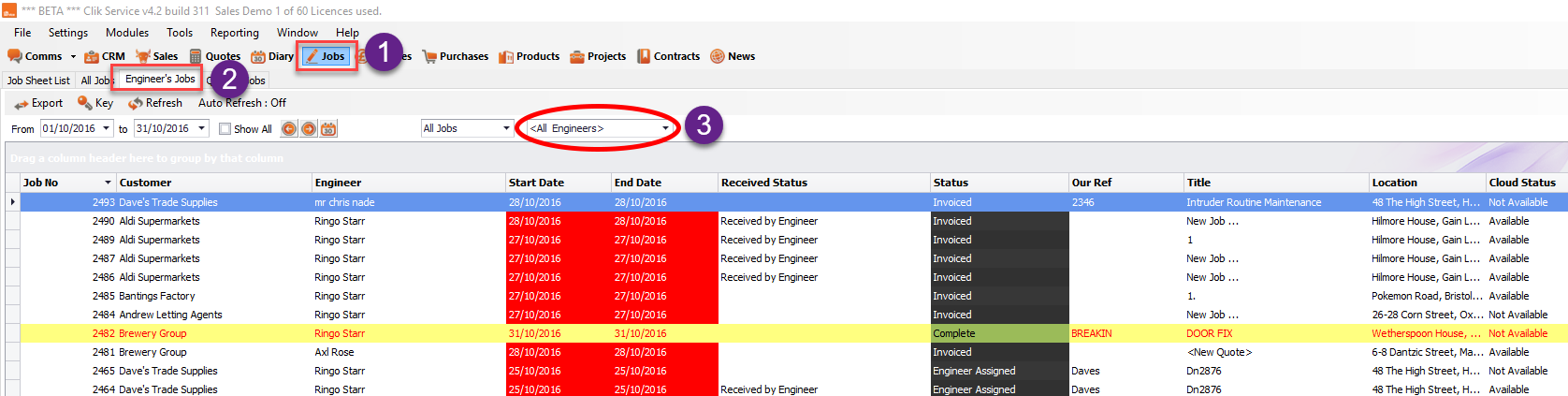
Now you will be able to see all the information and schedule work for your chosen engineer.
Comments
0 comments
Article is closed for comments.