
In Clik Service, you can have multiple job sheet windows open simultaneously across two monitors. So you can look at your main job list on one screen but have your engineer's job list open on the other screen.
To set this up, go to go to Window > Multi-window setup.

In the new window, you can choose which job list you would like to display on each of your monitors.
You can also choose if you want that window to be fully maximised and if you want it to auto-refresh - the auto-refresh time can be configured in general settings.
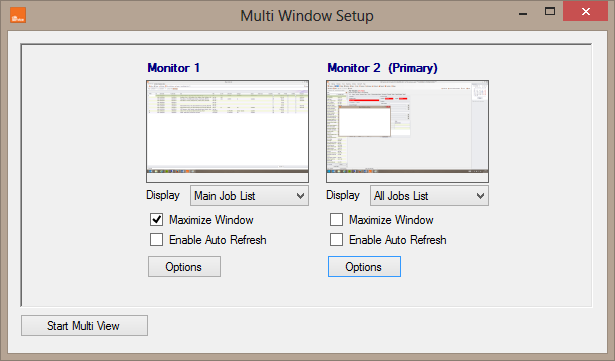
The 'Options' button allows you to test the configuration by opening or closing.
Once you are happy with the configuration, click on 'Start multi view' and the windows will open.
Comments
0 comments
Article is closed for comments.