
If Clik Service has stopped working after a Windows update then follow the below steps to restart your browser normally.
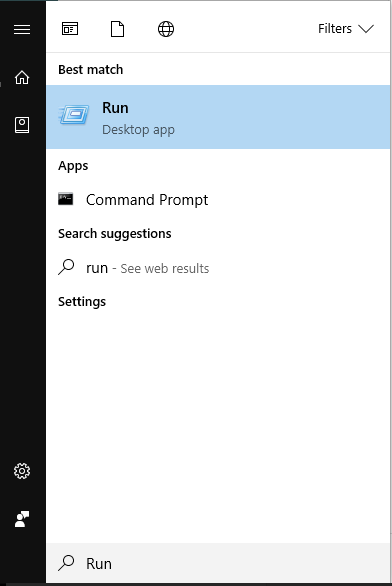
Firstly, click the Start button in the bottom left-hand corner of your screen and type 'Run'. Open the 'Run' desktop app.
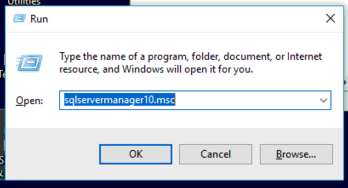
Next, you will be prompted with a command box. Enter one of the below commands into the Run box depending on which version of SQL you have installed, although this may vary. Then click 'OK'.
- 'sqlservermanager10.msc'. – SQL 2008 R2
- ‘sqlservermanager11.msc’ – SQL 2012
- ‘sqlservermanager12.msc’ – SQL 2014
- ‘sqlservermanager13.msc’ – SQL 2016
- 'sqlservermanager14.msc' - SQL 2017
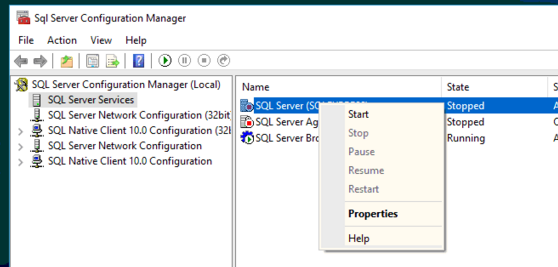
This will open an SQL Config Manager window. If you right-click on 'SQLEXPRESS' and select 'start'. This will restart the browser and allow you to open Clik up shortly.
June 2017
Comments
0 comments
Article is closed for comments.