
This article will show you how to set up your dashboard and add reports for Clik Remote Dashboard.
Before you begin you will need to purchase a dashboard license.
When in Clik Service, go to Settings > Clik Remote > Manage users and settings.
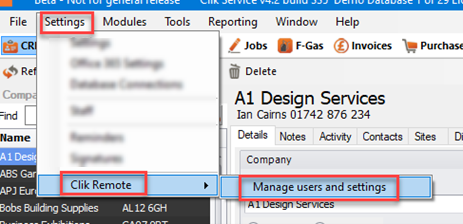
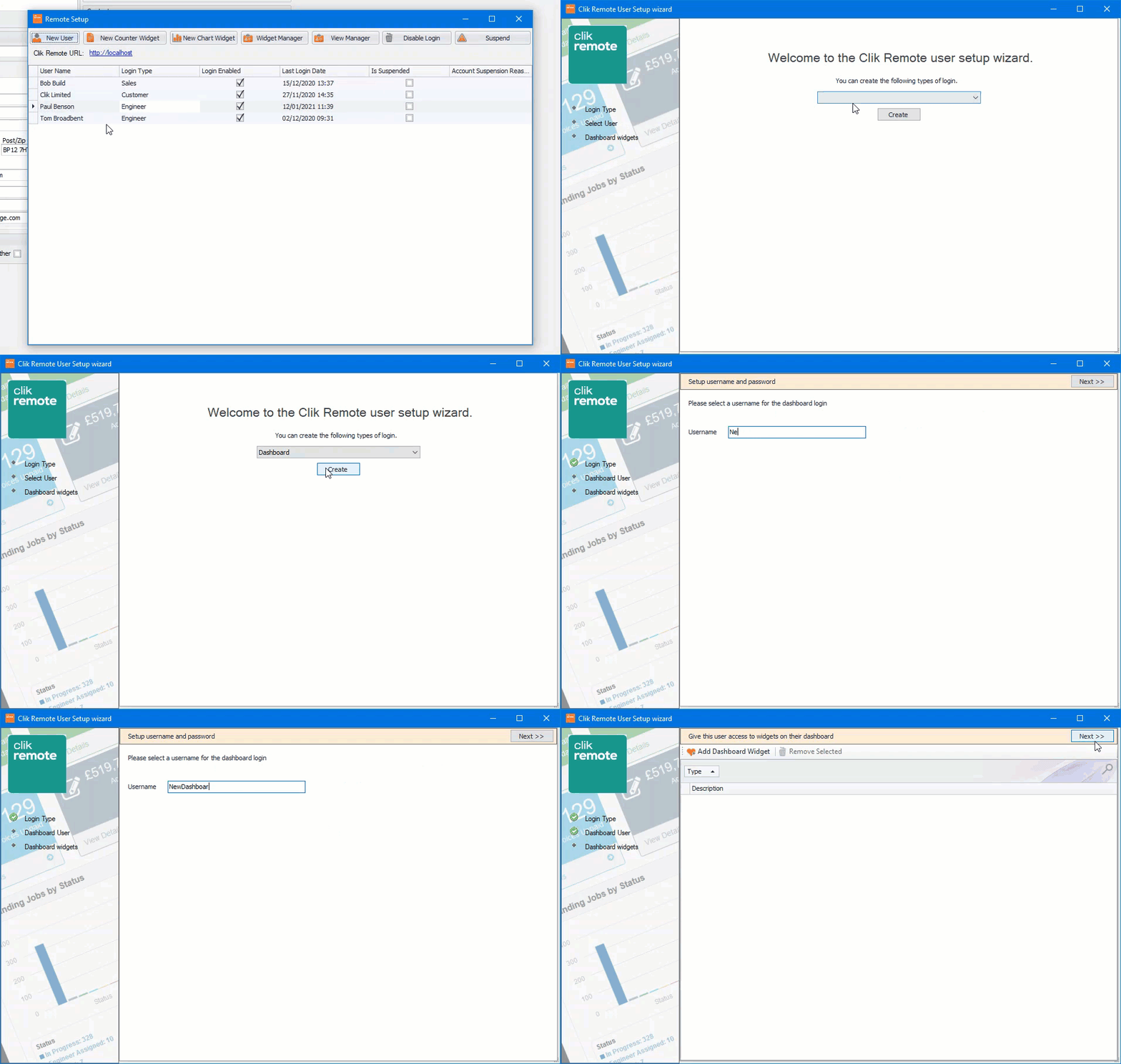
Once in the settings, you will then need to go to ‘New User’, select ‘Dashboard’ and create a username.
Click ‘Next’ to continue.
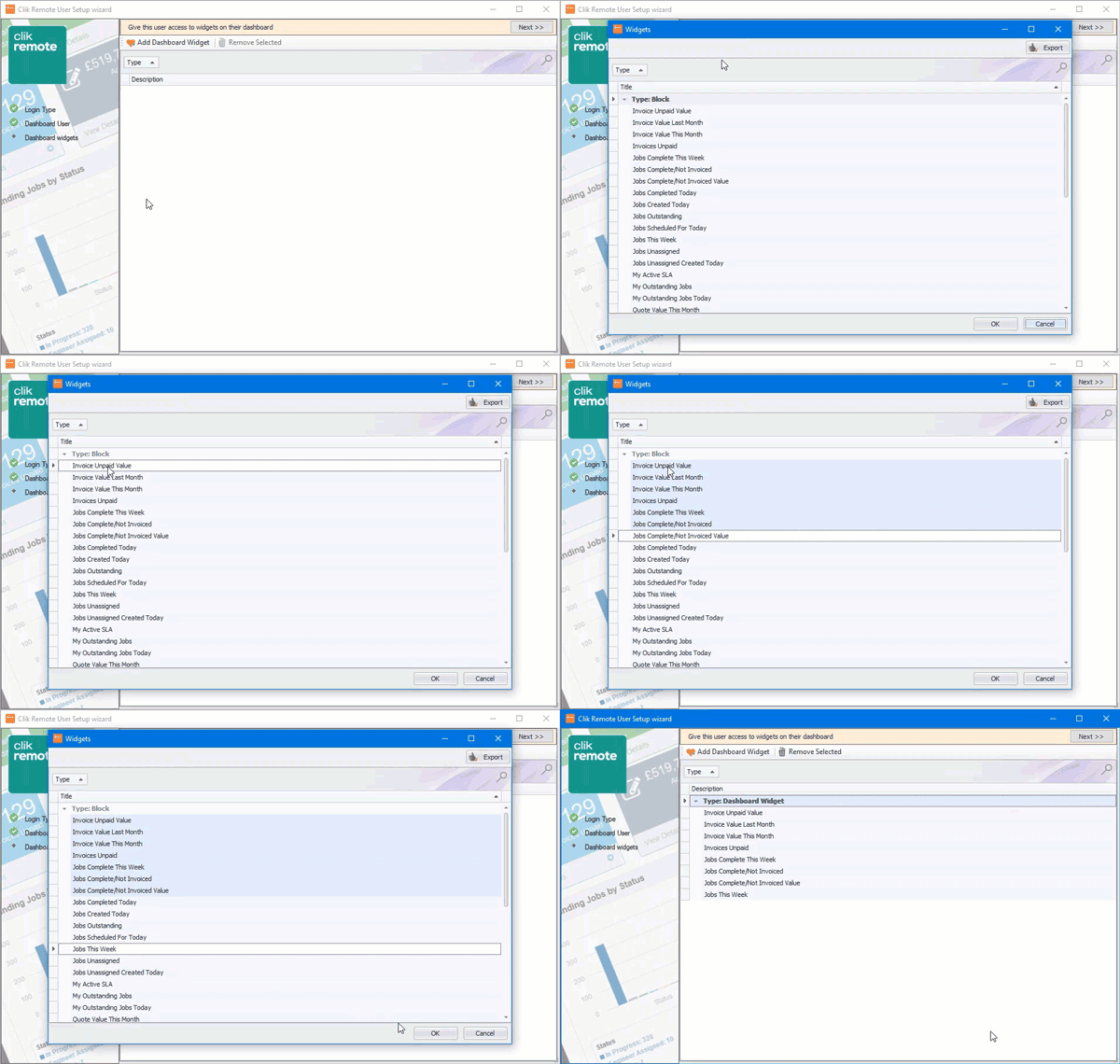
Now you can some dashboard widgets that can either be a summary block or a graph.
Select ‘Add Dashboard Widget’, select the widgets you require. You can use the shift or Ctrl key to select more. Once you’re happy click ‘OK’.
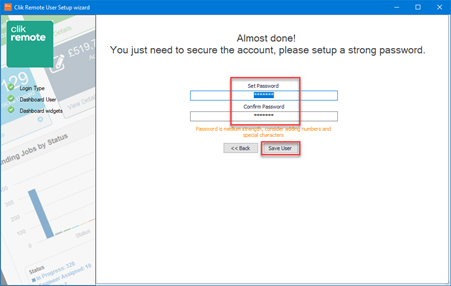
Now create a password in the ‘Set Password' box, confirm the password in the ‘Confirm Password’ box and click ‘Save User’
That’s it, you have now created a user. You just need to go to your Clik Remote site and enter the username & password of your Dashboard user to login.
Comments
0 comments
Please sign in to leave a comment.