
To check for updates, you need to go to the Clik Cert office software. At the top, click on Help > Check for updates.
Once you have clicked on that, it will either say you are up to date or you have updates to download. If that is the case, click on ‘download now’. This will run some downloads before it gives you the option to ‘Install now’.
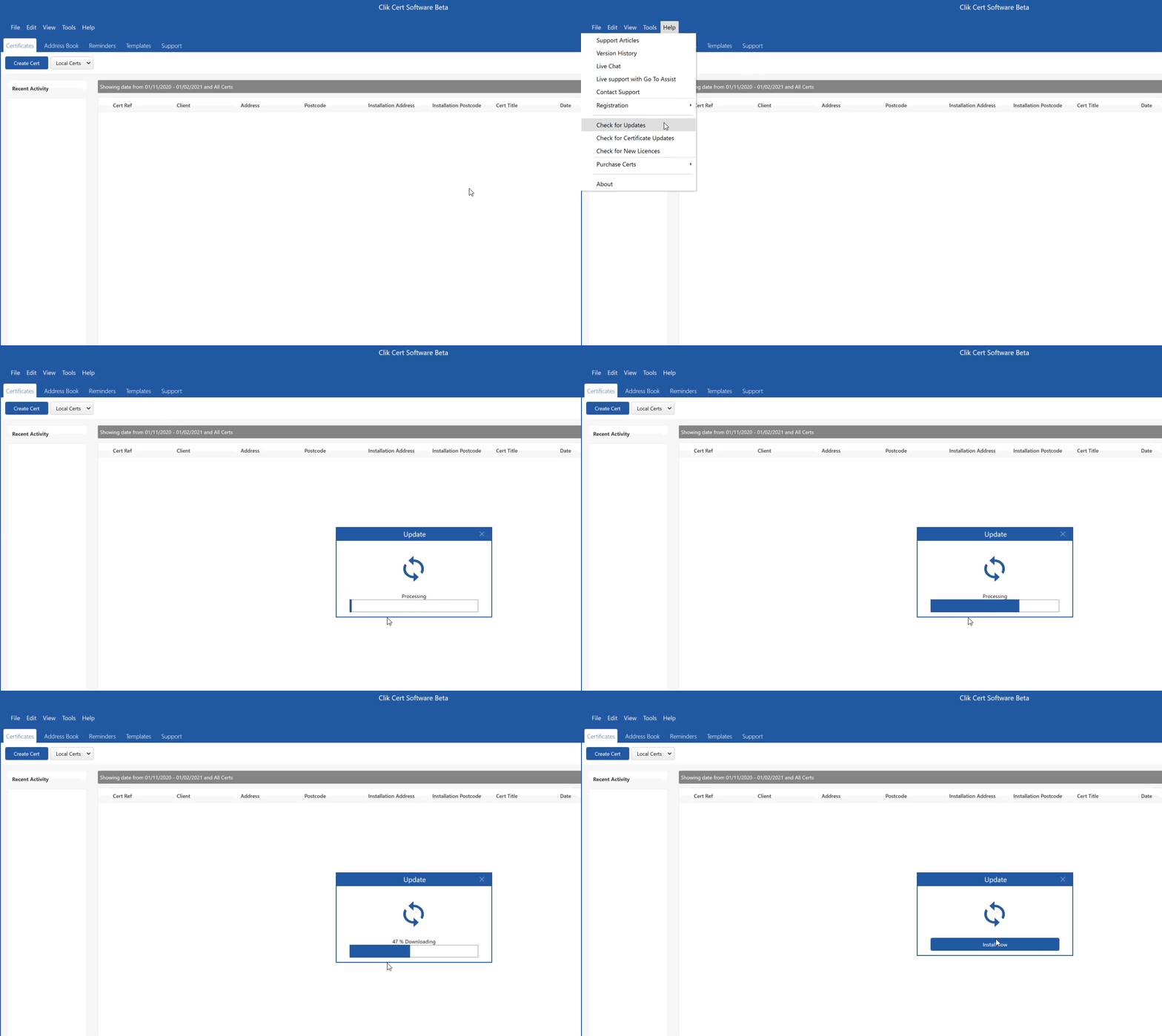
Note: This can take a bit of time depending on the number of updates available. Please make sure you have time to let these run.
Comments
0 comments
Please sign in to leave a comment.