
This article will show you how to create new certs in the Clik Cert iOS and Android apps.
Please note: the screenshots in this guide are taken from an iOS device so images/icons may differ in the Android version.
When you are in the app, tap on the menu icon in the top left-hand corner.
Then select ‘Create Cert’.
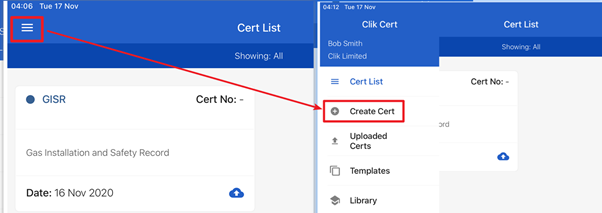
This will bring up a list of different certs. Choose the cert you want to create.
There is a star next to the cert so you can favourite your most used – this will bring those certs to the top for the future.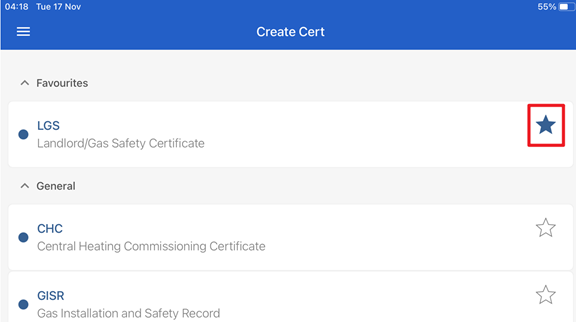
Comments
0 comments
Please sign in to leave a comment.