
The circuit details page is an integral board for electrical certificates. In this article, find out how to easily rearrange and move your circuits, as well as remove them if needed.
Looking to learn how to create new circuits? Follow this guide first to find out how.
Rearranging Circuits
You can easily move rows to rearrange your circuits in the board.
First, go to the circuit details screen.

Click and drag the row to where you want to move it.
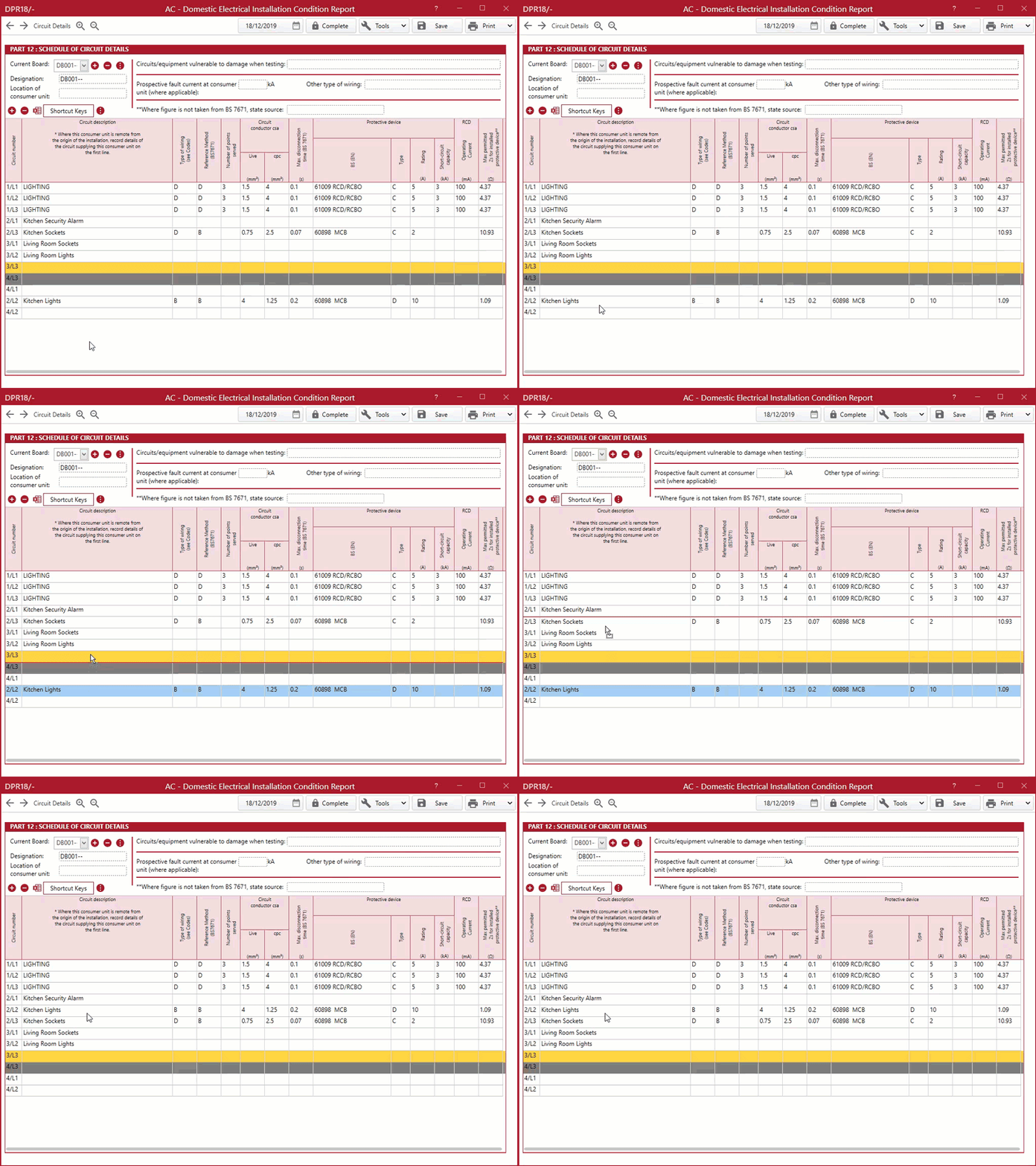
Continue with this process until you are happy with the new arrangement.
Removing Circuits
To remove a circuit from the board, you will need to click on the row you want to delete and select the minus icon.
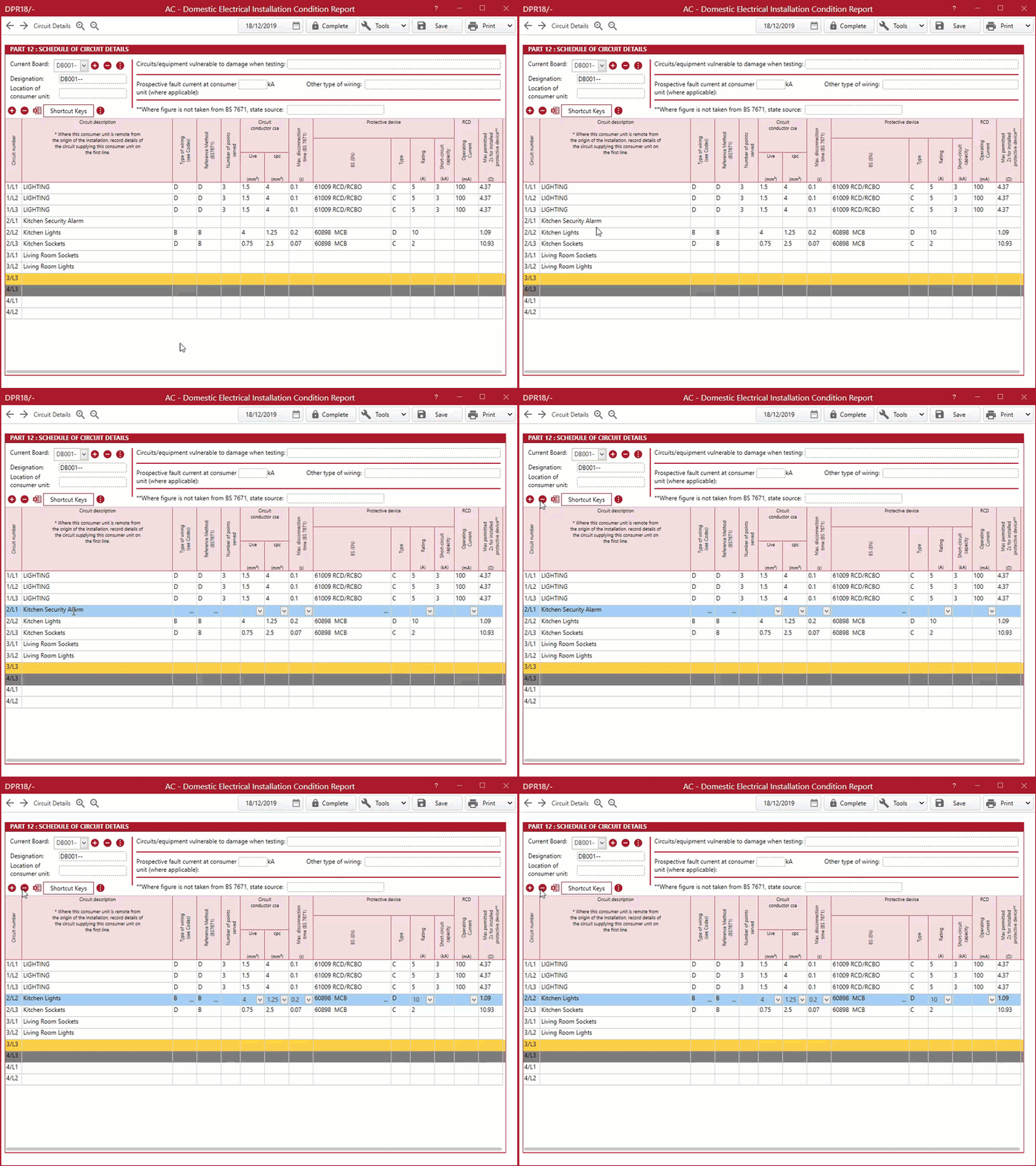
The row will then be removed.
Published: January 2020
Last Updated: May 2021
Comments
0 comments
Please sign in to leave a comment.