
Adding Engineers
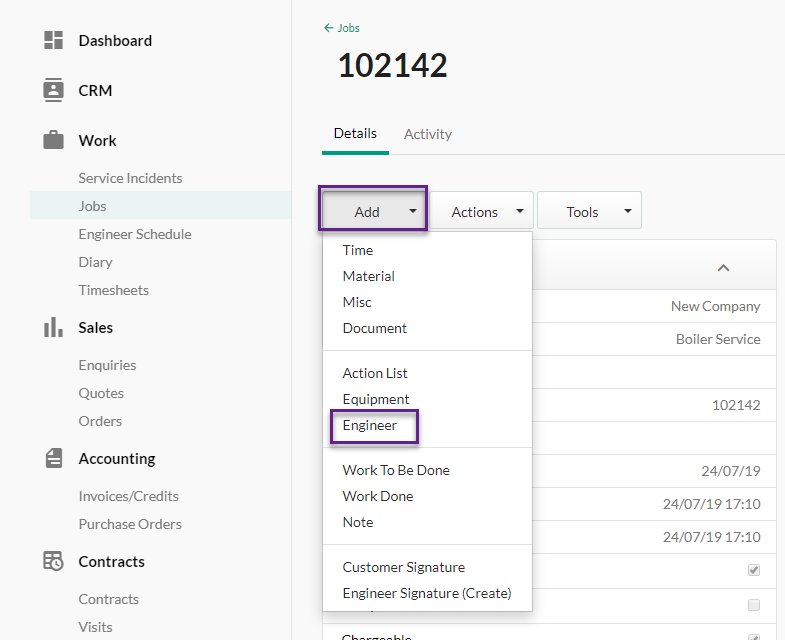
You can assign your engineer to a job within a job sheet by going to Add > Engineer.
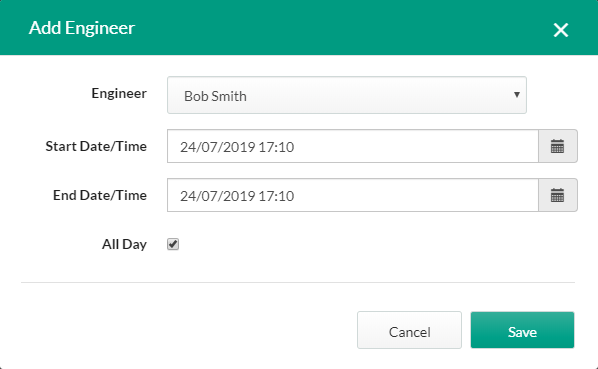
This will then bring up the screen, where you can choose your engineer from the drop-down list, as well as alter their start and end times if required.
Click ‘Save’.
Removing Engineers
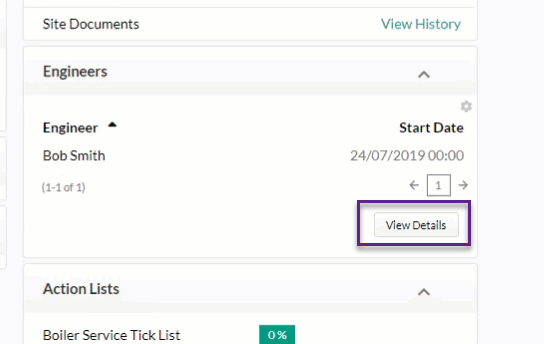
To remove an engineer from a job, find the ‘Engineer’ box on the job sheet and select ‘View Details’.
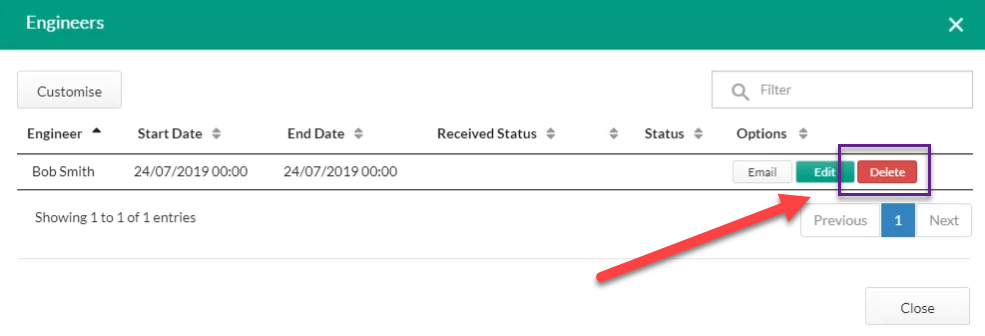
From this screen, you have the options to email the selected engineer, edit their planning or delete it from the job.
Click ‘Delete’ and ‘Delete’ again when the delete item warning appears.
Published: August 2019
Last Updated: November 2020
Comments
0 comments
Article is closed for comments.