
In Clik Service, you can create purchase orders from your job sheets or link them to invoices for customers once all the work’s been done, which we'll show you how to do here.
Start by opening up your job sheet and selecting the 'Activity' tab.
Once you’re in the activity tab you can create and link other items raised in the system to the individual job sheet.
Select the 'Sales invoices/credits' tab and from here you can select whether the job sheet should be converted into a new invoice or added or linked to an existing invoice.

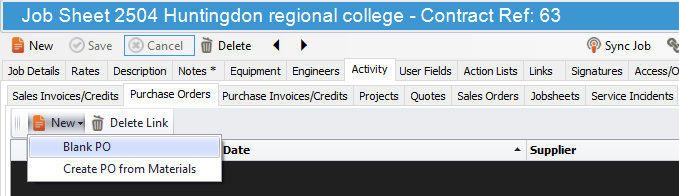
Click on the 'Purchase orders' tab then click on the 'New' button and select 'Blank PO' from the drop-down menu.
From here, Clik Service will generate a new purchase order.
Comments
0 comments
Article is closed for comments.