
Clik Jobs offers the ability for engineers to create new jobs directly from the app. However, before they can do this you must configure which customers and sites each engineer has access to in Clik Service.
The engineers will only be able to create new jobs for the customers you have sent jobs for previously and any that you select from the tablet configuration screen.
To access the configuration screen in Clik Service, go to Settings > Settings > Clik Jobs.
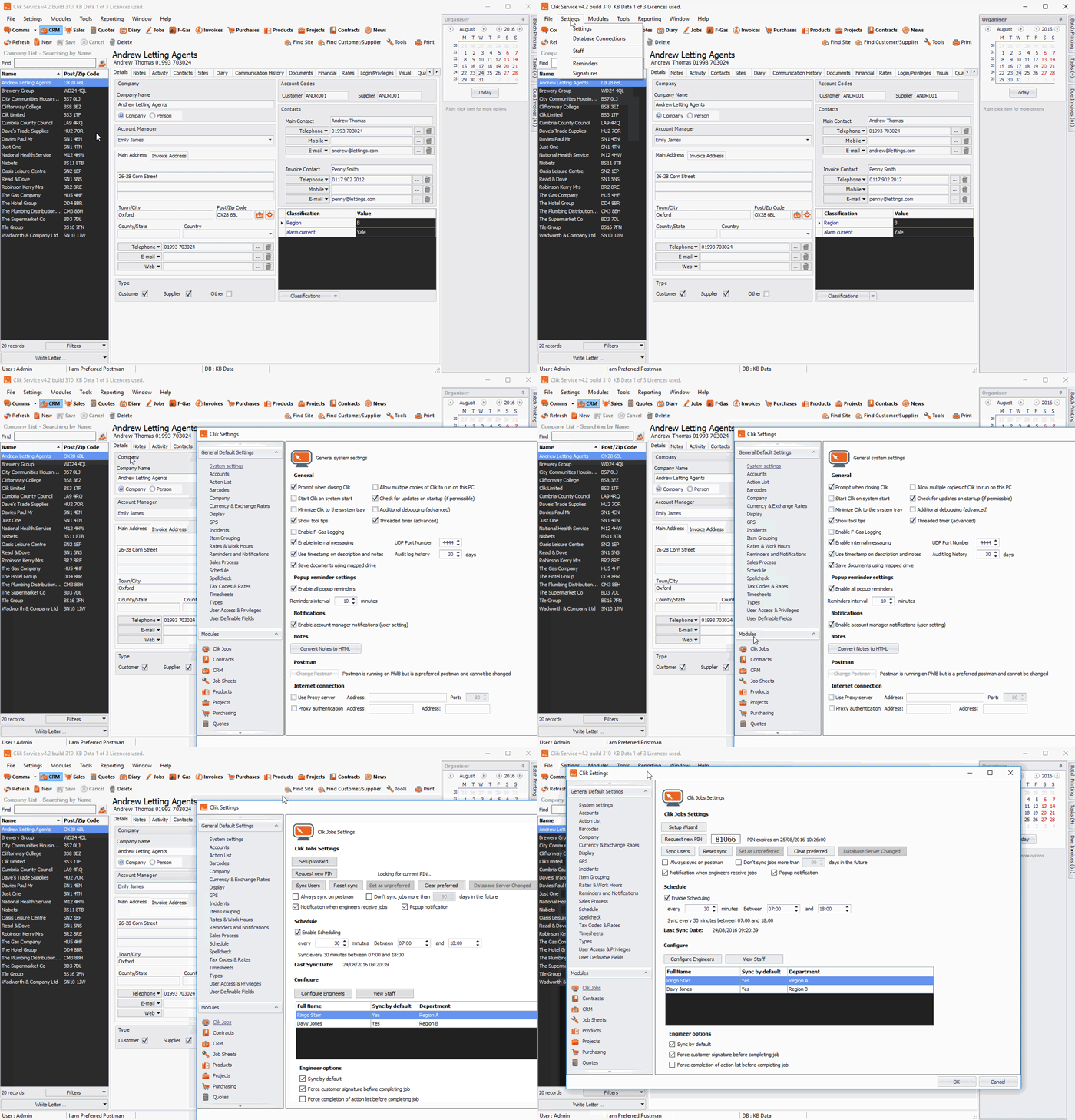
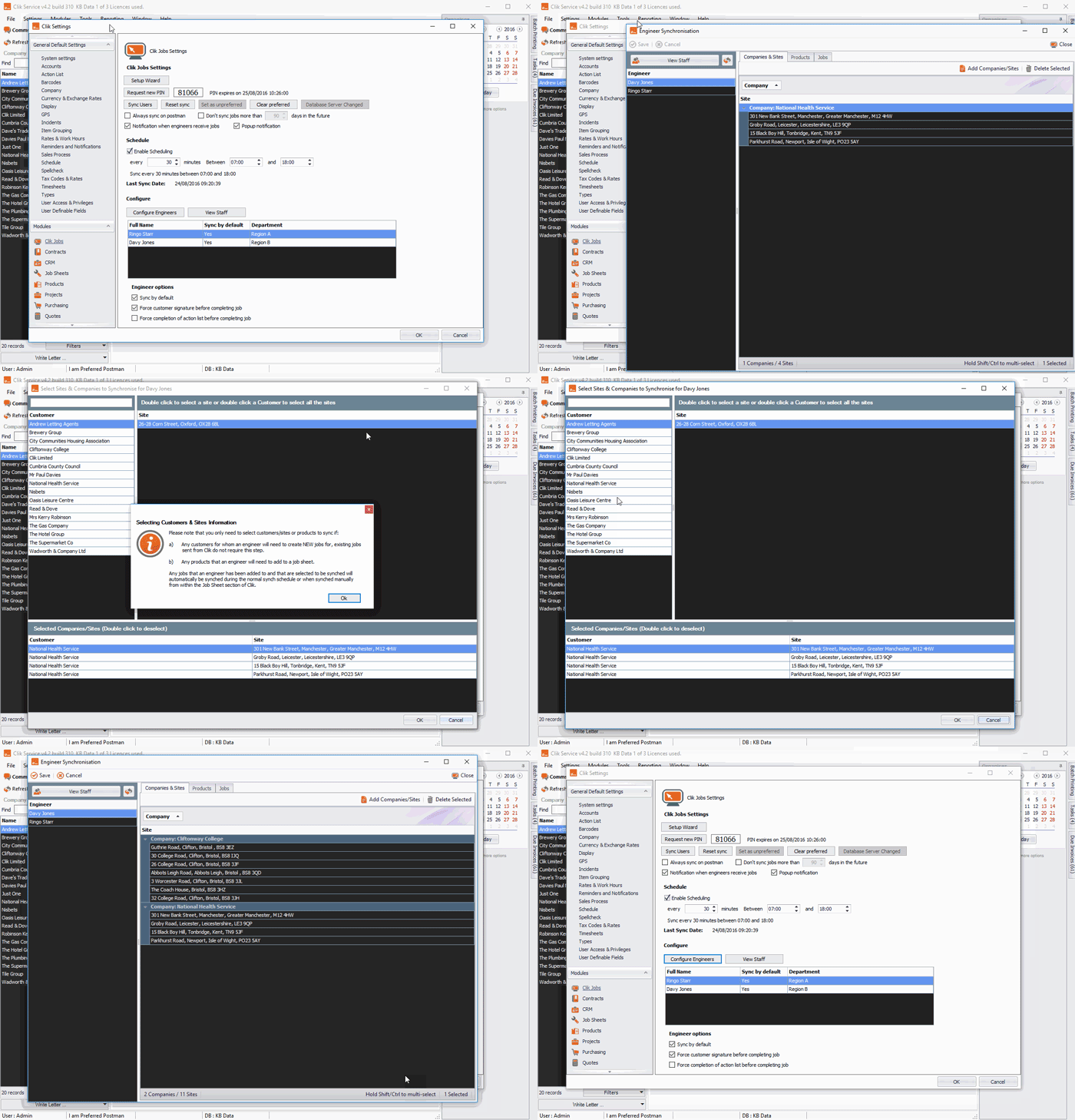
Under the 'Configure' heading select the engineer and click on 'Configure engineers'. This will bring up the engineer synchronisation screen.
Select the 'Companies & sites' tab and click the 'Add companies/sites' button.
Double-click on the customer, which will select all their sites to be synced, then click OK > Save.
They will now be synced on the next scheduled or manual sync.
But you will have to get the engineer to do a full sync on their device to get the customers and sites synced over.
November 2016
Updated: February 2021
Comments
0 comments
Article is closed for comments.