
This article will show you how you can export certificates into an excel spreadsheet, so you can share with your building control regulator and get the Part P number you require from them for a batch of certificates.
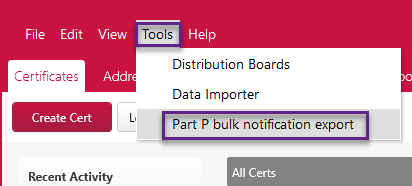
First, go to Tools > Part P bulk notification export.
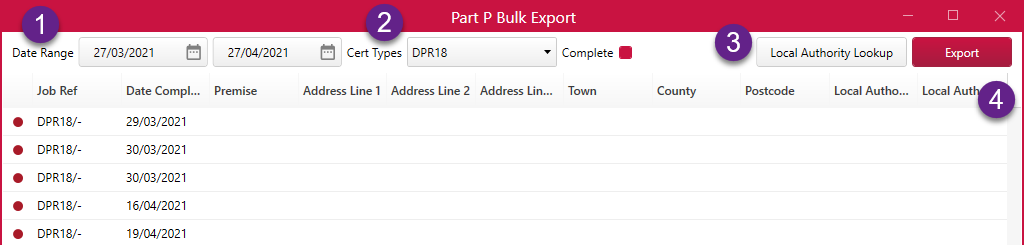
Next, you can now filter the certificates you wish to have a Part P for by using the ‘Date Range’ and if required, filter by ‘Cert Types’ and ‘Complete’.
To find the appropriate local authority click the ‘Local Authority Lookup’. Finish by clicking 'Export'.
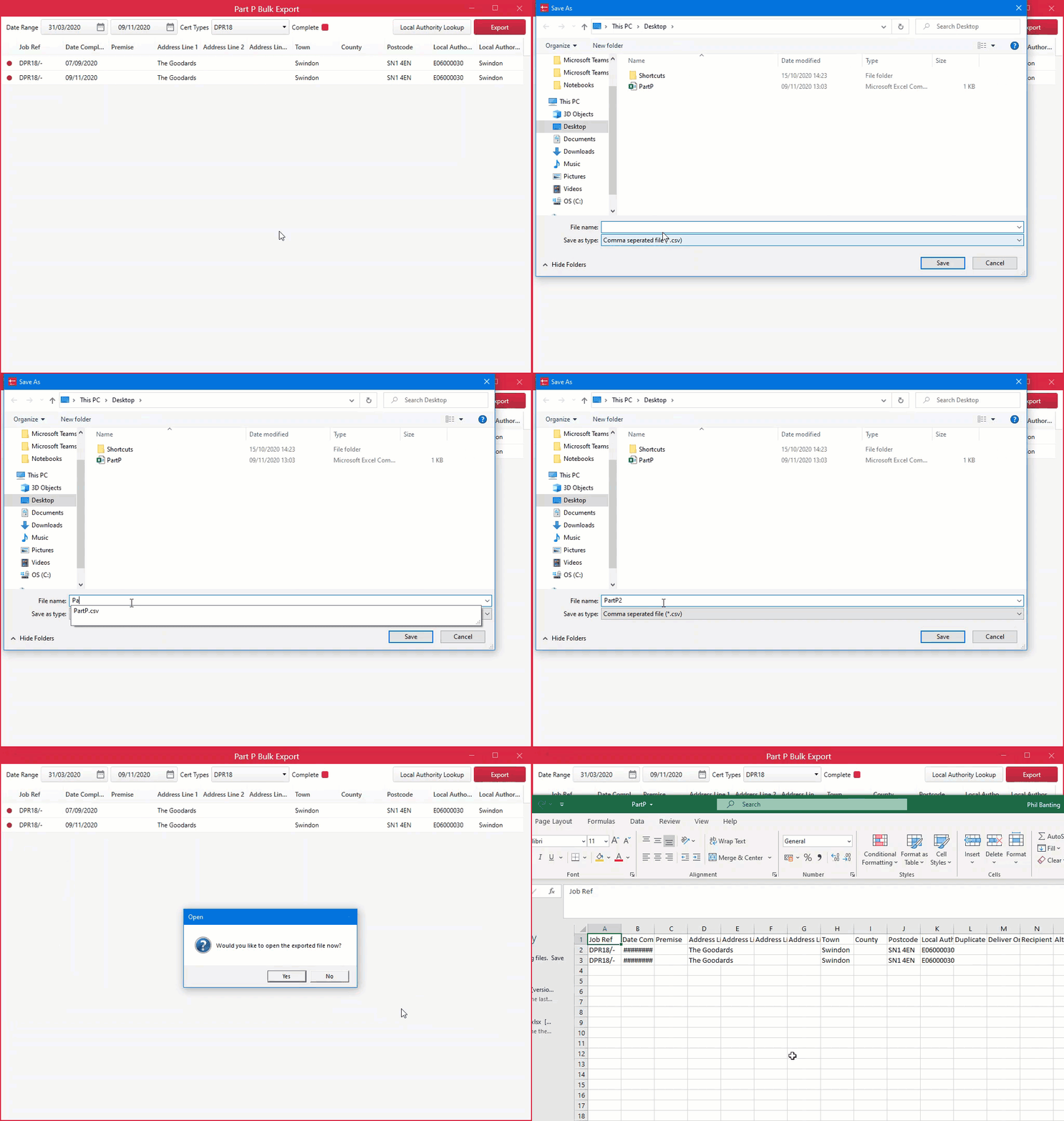
Next, save your spreadsheet as a CSV. You can then email the building regulator to get your Part P number for the certificates you have exported.
This feature was added in v1.0.50.
Comments
0 comments
Please sign in to leave a comment.