
Speed up the process of completing your certs by using the built-in function keys on the circuit details and test results pages. You can use the following keys when filling out your details:
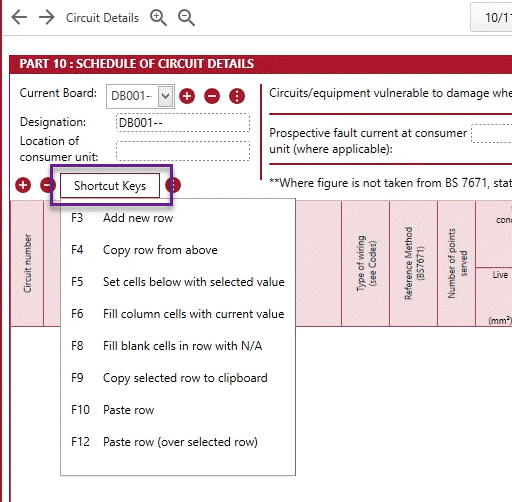
- F3 – This will add a new circuit row
- F4 – This will copy the circuit details from the row from above
- F5 – Press this when you wish to copy the value of the row selected into the cells below
- F6 – Press this when you wish to copy the value of the selected cell into all the cells above and below
- F8 – This will apply N/A to all the column left blank
- F9 – Copy selected row into the clipboard
- F10 – Paste the copied row
- F12 - Clear and paste into a selected row
You can find a list of these shortcut keys when in the software by clicking on the ‘Shortcut Keys’ button either on the top bar of the circuit details page of your cert:
Or you can find the ‘Shortcut Keys’ button on the test results page:
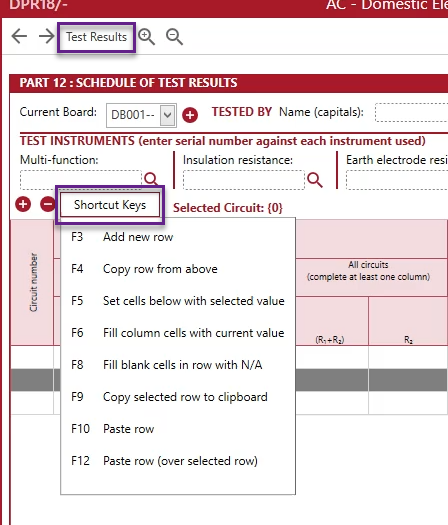
The shortcut keys button on the test results page was added in update v1.0.53.5.
Published: July 2019
Updated: November 2020
Comments
0 comments
Article is closed for comments.