
If the footer is not showing on a PDF, go to Tools > Print template editor and select the template with the issue.
Then click on the document properties icon (highlighted in red below).

This will bring up the below box.
Untick the two footer options - 'Print Footer (Normal Page)' and 'Print Footer (Final Page)' - and then hit 'Save'.
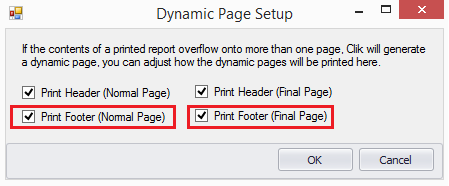
Go back into the document properties and re-tick these, then click 'Save' again and it should be fixed.
Comments
0 comments
Article is closed for comments.